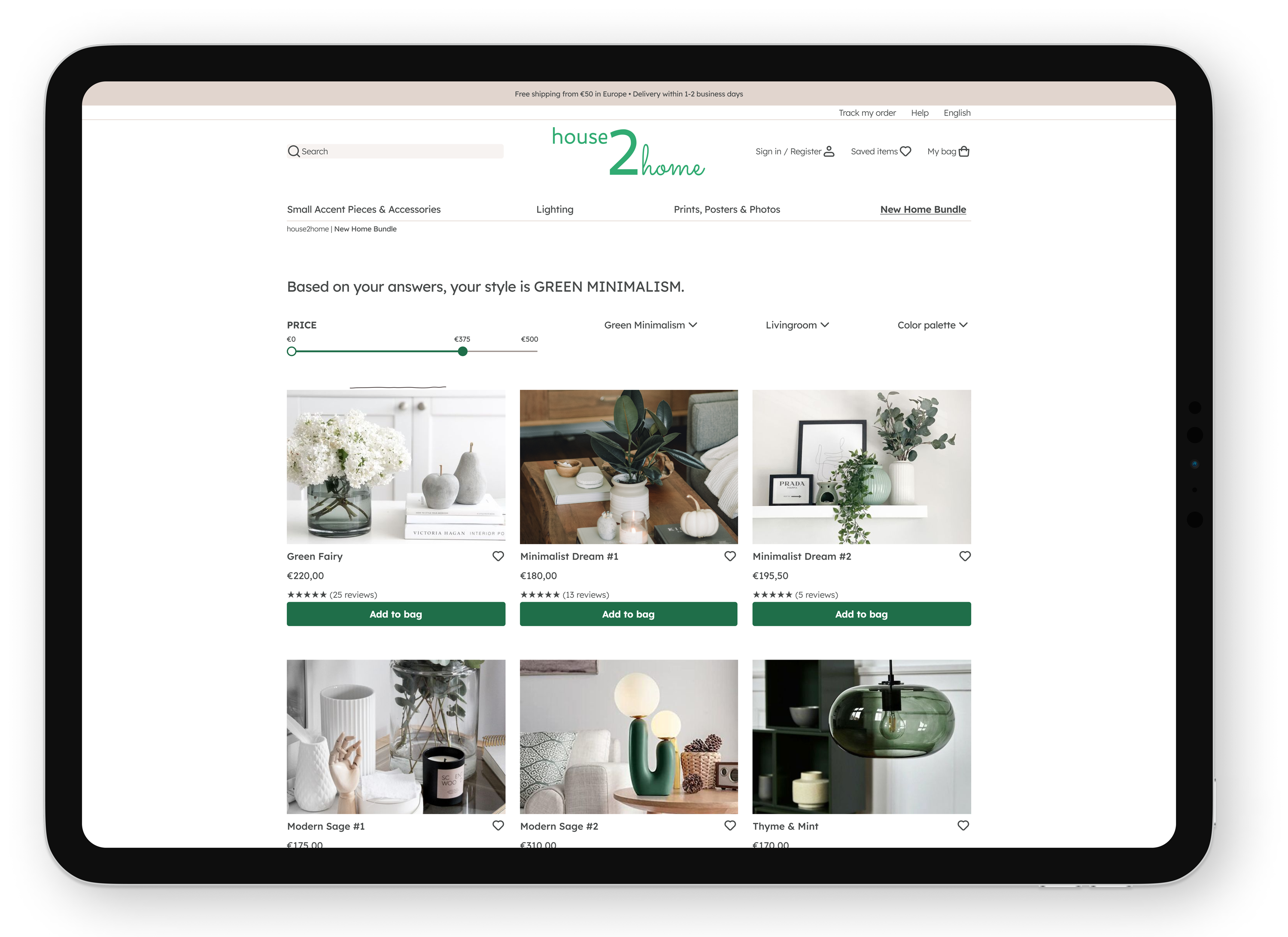
Helping budget-conscious owners elevate their living space.

This one-week long project - Google Ventures style Design Sprint - has been great fun to work on, allowing me to revisit my architectural and interior design roots. The background and research were provided by Springboard in partnership with Bitesize UX.
The problem
House2Home is a web-shop that sells home decoration. Through customer survey, they learned that many of their customers have recently moved into a new home. The users want to buy several items to personalize their new place, but they don’t feel confident doing it on their own.
The company wants to start offering “starter kits”- items within the €10 - €50 price range -, meant to help people instantly decorate their home. The brief is to design an end-to-end flow for this - as a website, for larger screens.
The solution
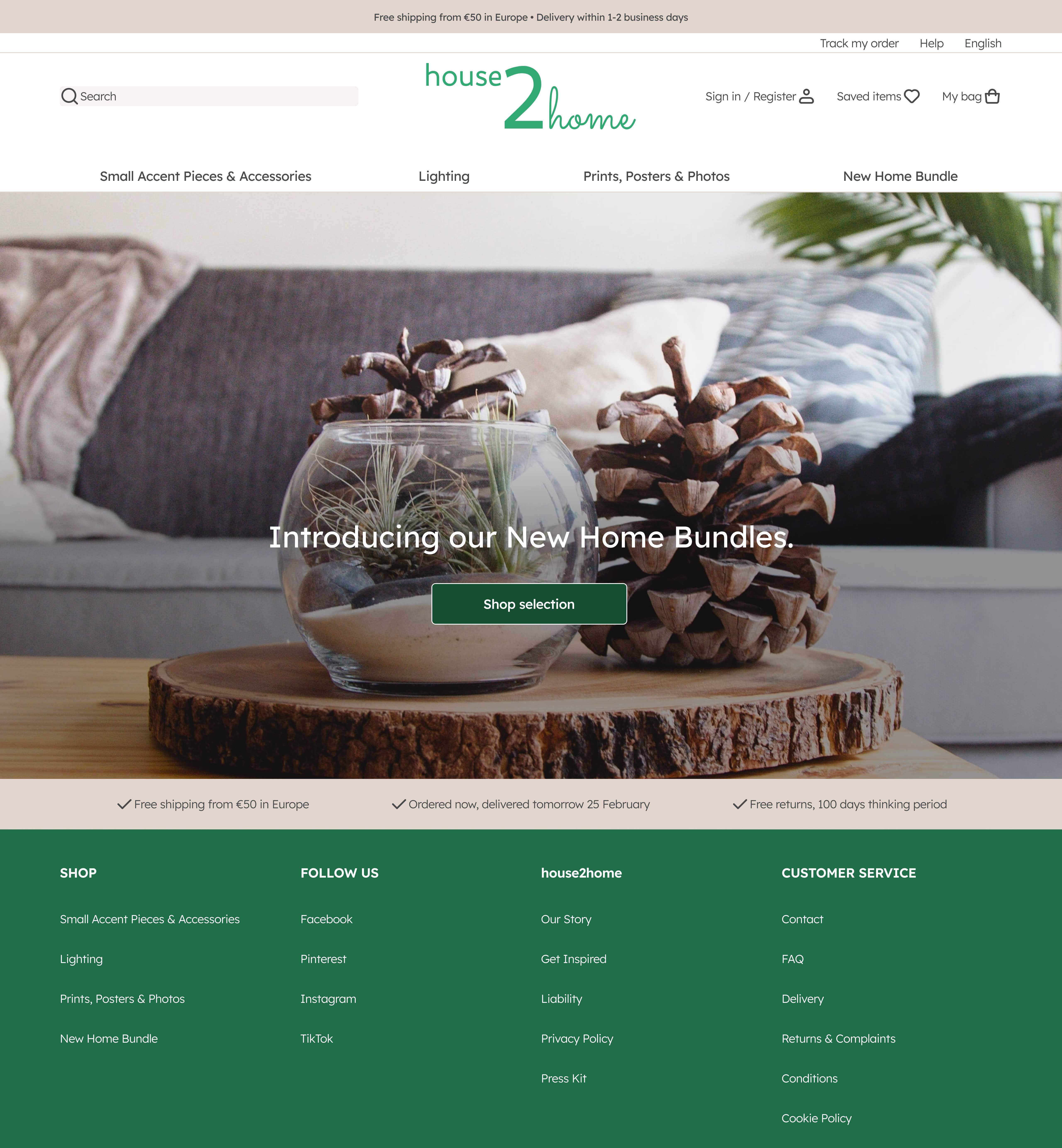
Introducing Home Bundles: a curated and customizable selection of products based on the results of a style quiz, allowing buyers to preview the items in their own space using a room visualizer tool.
Day 1: understandung the problem space
The handed research included highlights from users interviews and a sketched persona. I organized the collected quotes and insights through affinity mapping into three main themes: style, budget and the buyers’ own space.
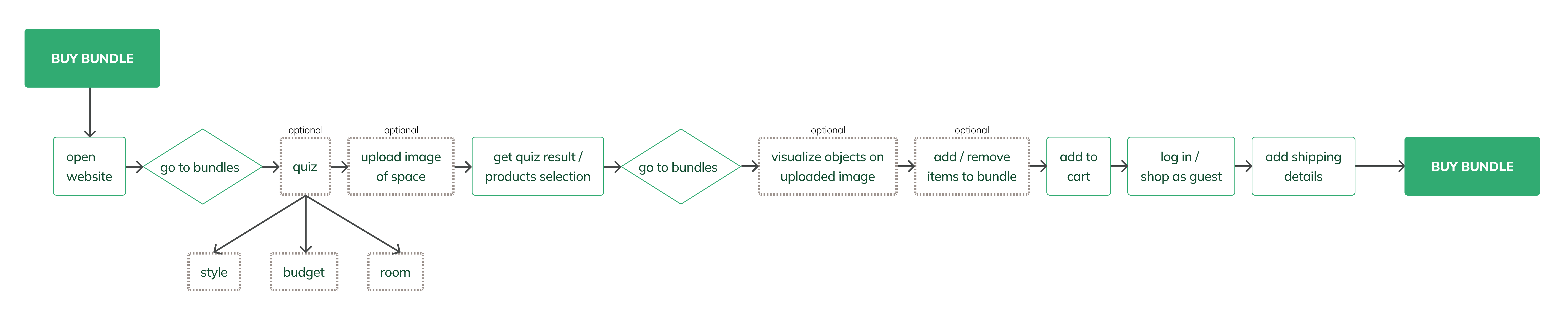
Next, with a better understanding of the audience and their pain points, I drafted the map of a possible end-to-end experience.
"I know the look I want and how i want to feel when I walk in... I just don't really know what products to buy to pull it off."
Christina, 31
"My budget isn't huge an I don't want to spend it all on one piece."
Rob, 27
"So many items look great in the staged photos, but will they look good in my living room? You don't really know until you order them and you see how they look in the space."
Sarah, 26

25 yo, accountant, Chicago IL
Ally just moved with her boyfriend in their first shared apartment - a small studio in Chicago. She is really excited to decorate her apartment as her “own” space. Ally browses Pinterest for ideas and saves the images she likes - mostly, of small spaces that feel bright and lively, but she quickly becomes overwhelmed.
Goals
- Make the place feel like her own through a quick facelift.
- Get the look& feel she wants while fitting in her budget.
- Rebuild her savings after moving in a new place.
Pain points
- Not knowing which items to buy to achieve “the look”.
- Trying to fit within a tight budget.
- Unsure whether the items will actually look good in her space.
...allow users to make a purchase that would align with their style?
...help users visualize the items in their home before buying them?
...make users achieve the look they want & fit within their budget?
DAY 2: GETTING THE IDEAS OUT ON PAPER
I conducted a solo version of lighting demos, looking for direct competitors, but also at different solutions with interesting features that might be helpful when designing my product.
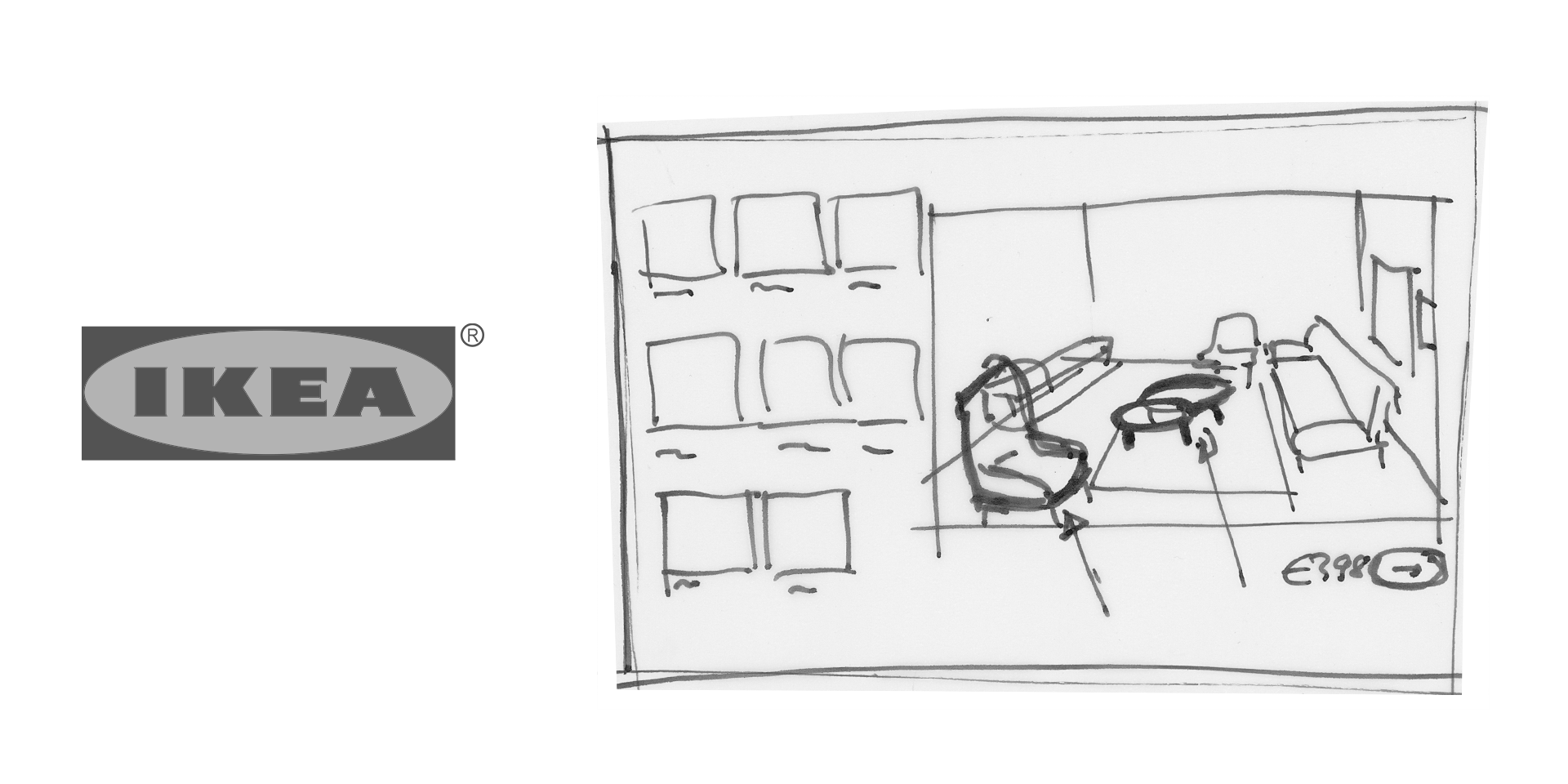
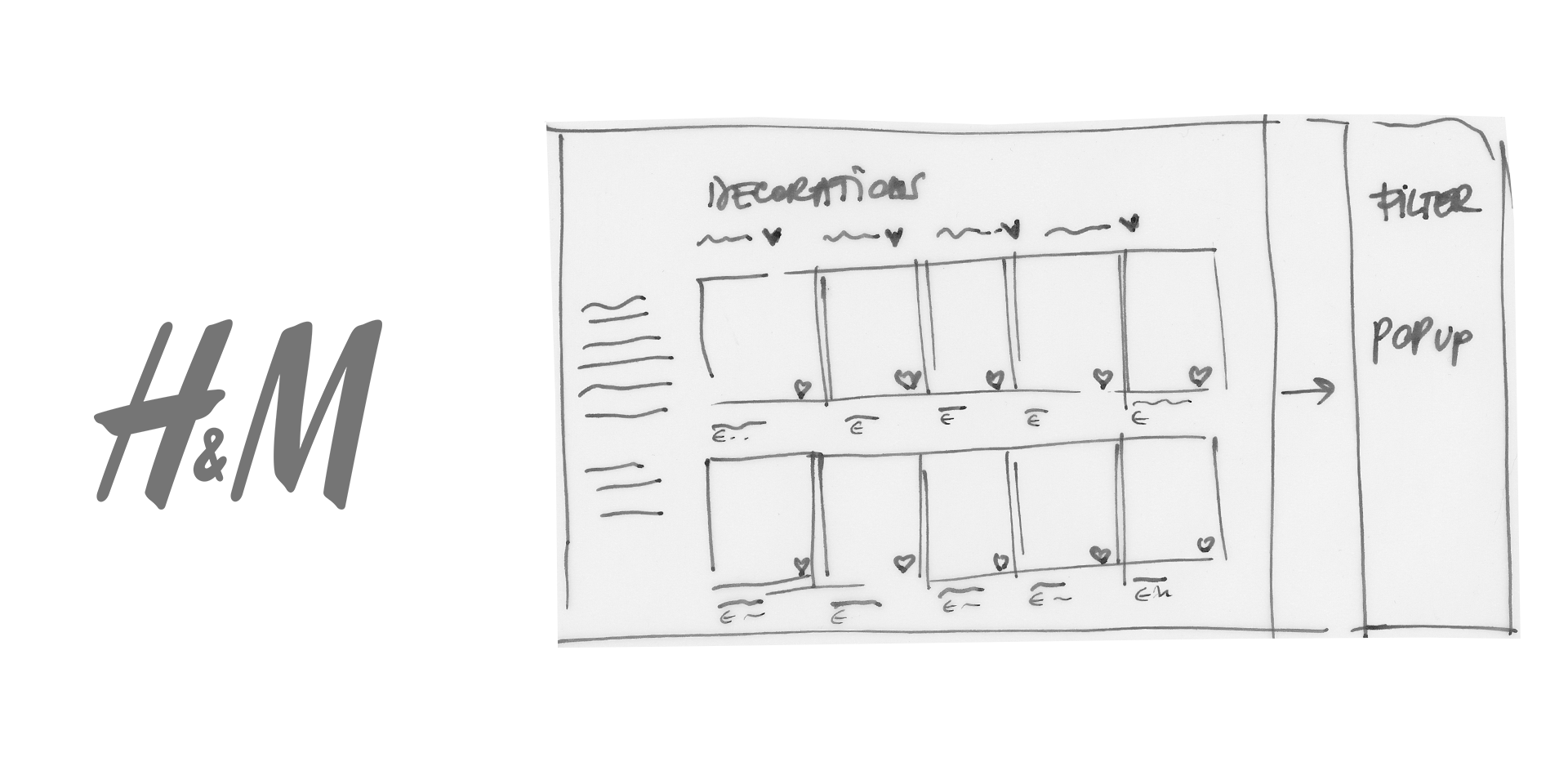


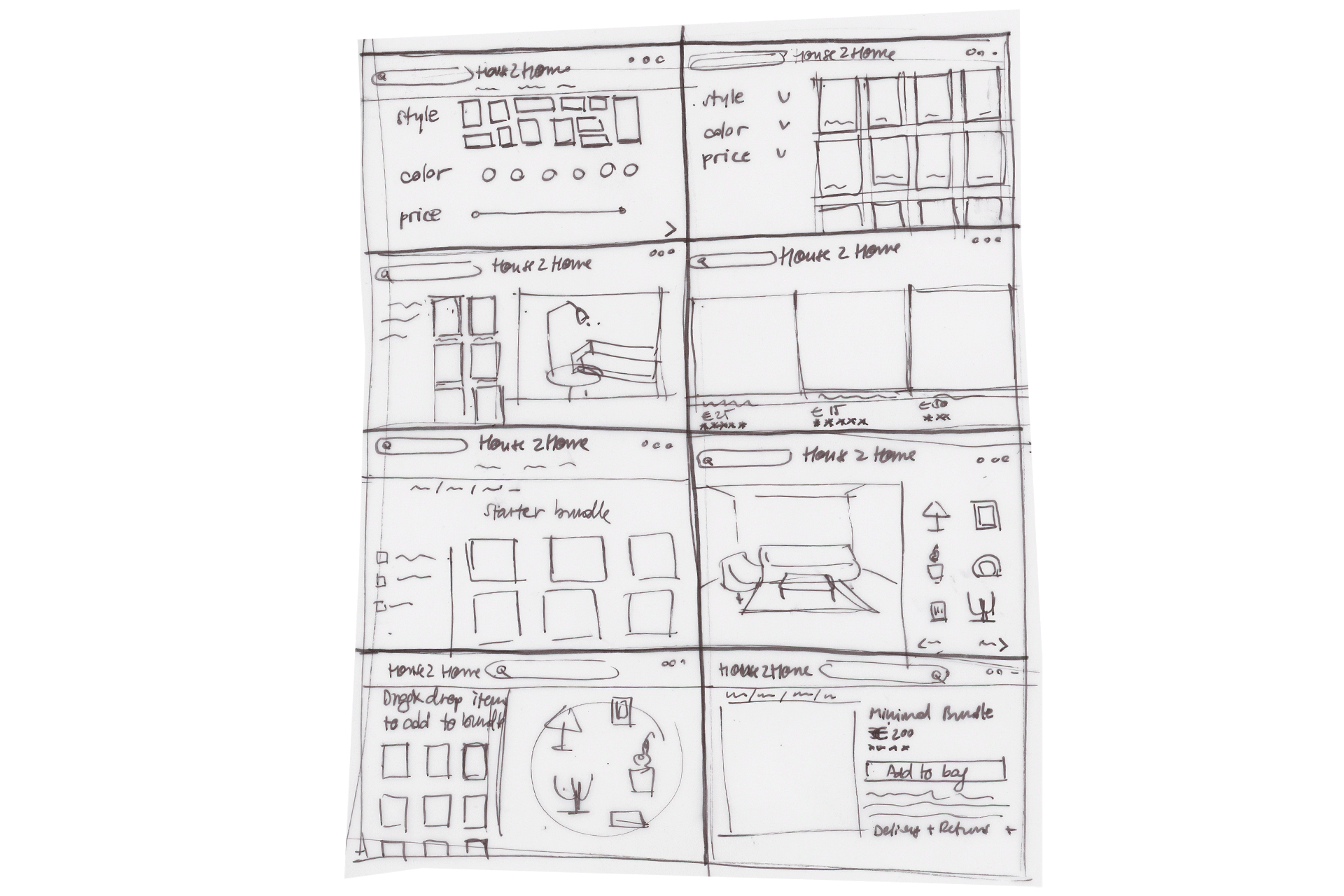
With these examples in mind, I went through a Crazy 8s sketch exercise to quickly generate a wide variety of possible solutions. The sketches focused on the user's wishes and pain points: the desire to create a specific look or style, the need to stay within a budget and the uncertainty about whether the products will blend with the space.
DAY 3: DECIDING ON WHAT TO BUILD
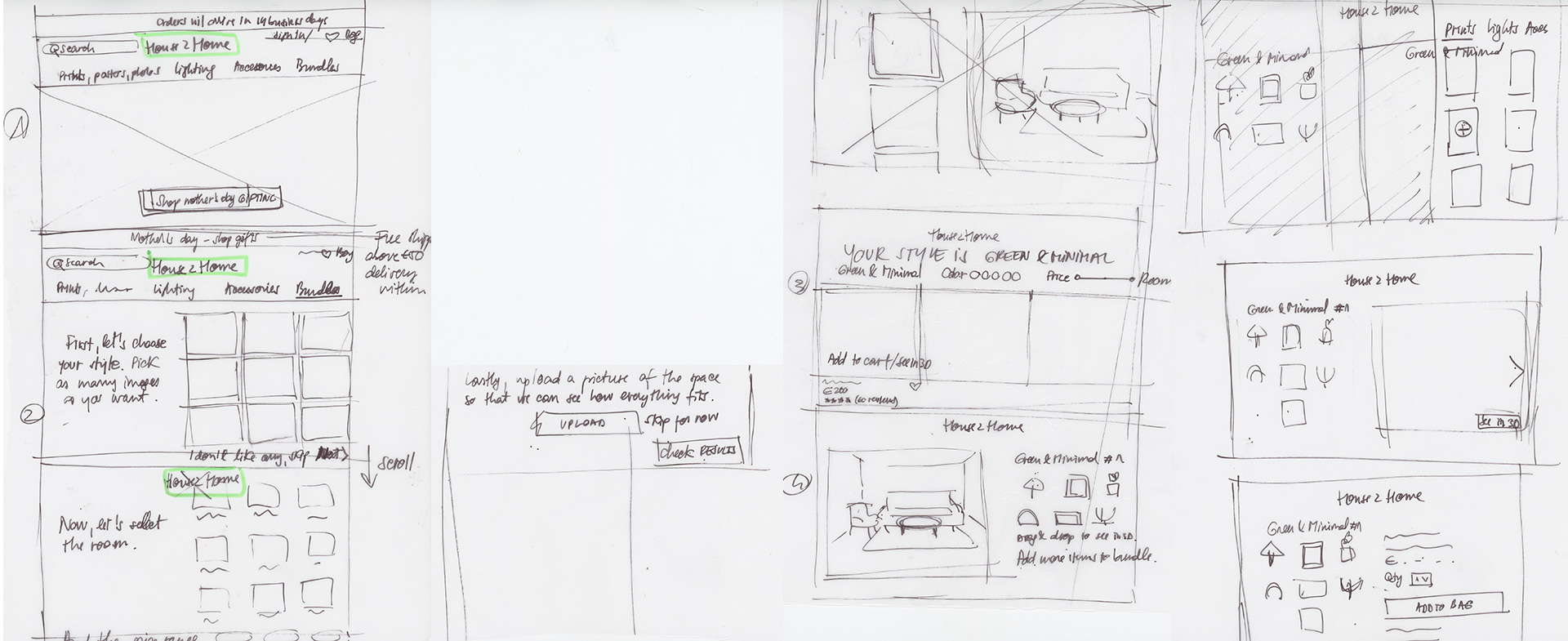
Since this is a solo Design Sprint, there is no team to exchange ideas with. I chose “Home bundle selection” as my critical screen an created a storyboard around it, connecting my ideas into one cohesive story:
01 "Find your style" quiz to identifiy the buyers' desired look.
02 Adding a picture of the space to help visualize the objects before making a purchase.
03 The flexibility to add or remove items from the kit to stay within budget.
DAY 4: PROTOTYPING
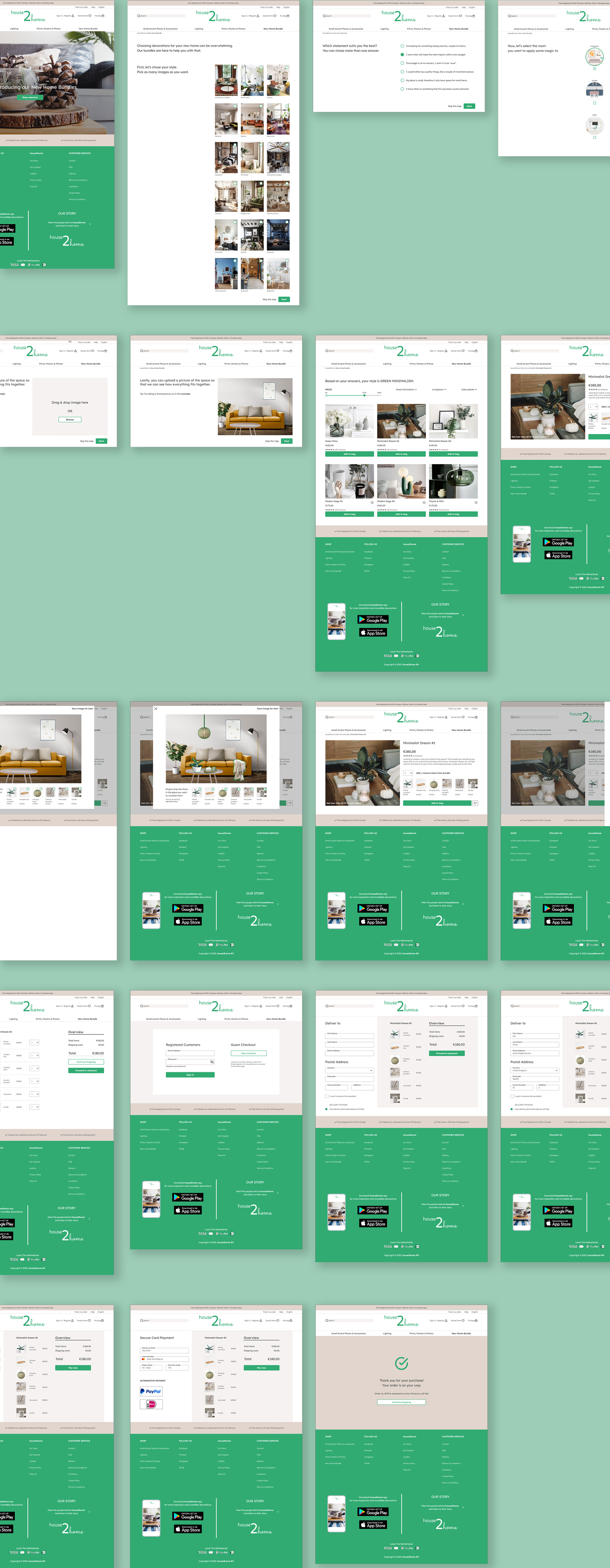
On this day, I focused on creating the prototype in Figma as quickly and efficiently as possible, while also aiming for a realistic design approach. This involved occasionally consolidating multiple steps into one, such as selecting pictures and adding objects to uploaded images.
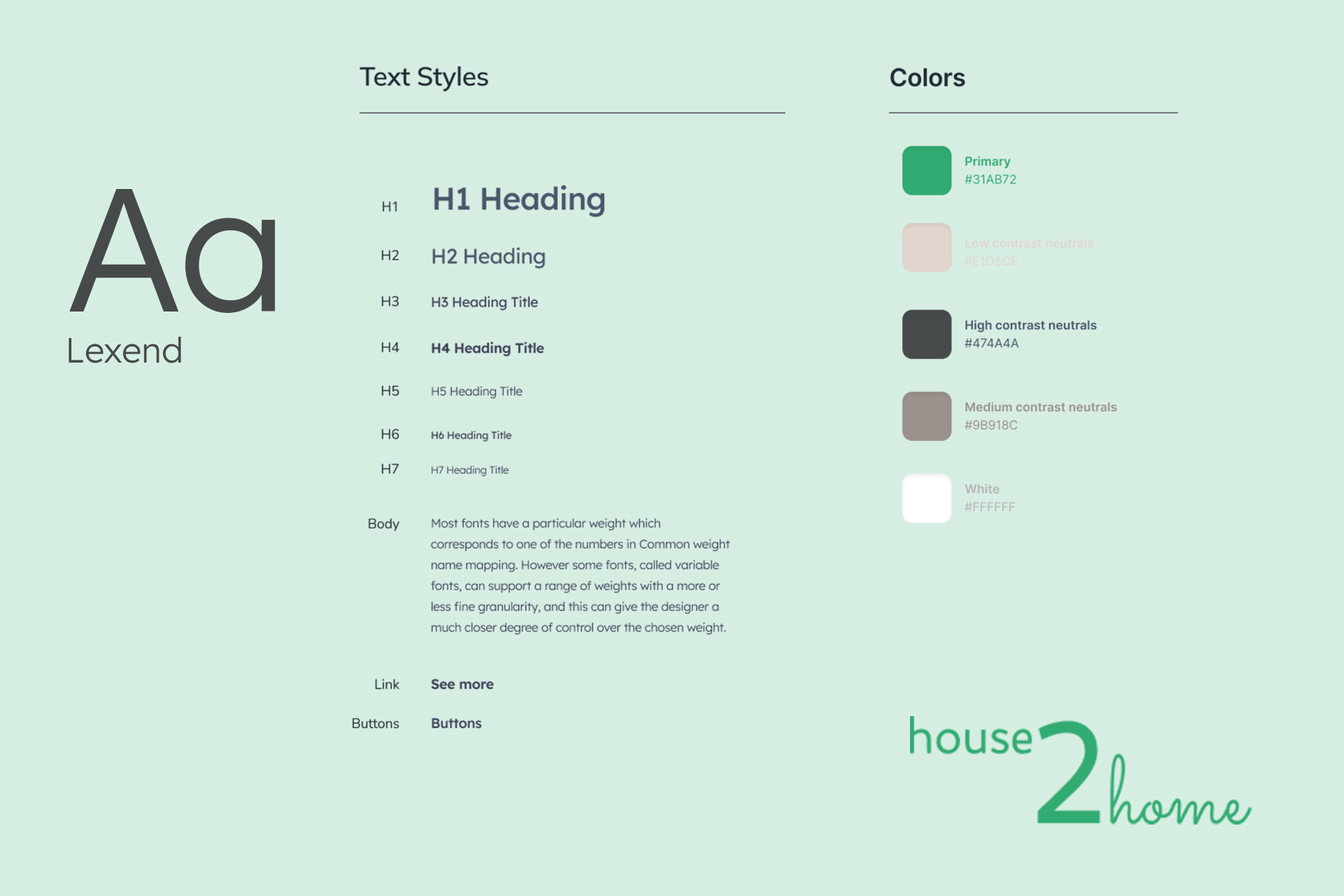
I paid close attention to the overall look and feel of the website, beginning with a style guide that reflects the brand's core values: simplicity, aesthetics, and affordability.
DAY 5: ROUND OF TESTING
On the final day of the sprint, I conducted usability testing with 4 participants (acquaintances) who were selected because they had recently moved or decorated their place. Overall, the feedback was very positive. Some of the comments I received:
"The room visualizer is a really cool feature, although I don't understand if it can actually scale the products reallistically. If it was placed directly on the overview page, I could have easily swapped the products on the photo."
Katerina
"I never encountered this bundel concept, just find it really interesting. The quiz result could be more clear, with more explanations behind it."
Georg
"While selecting the products, users may also be interested in seeing similar items - it also incentivizes people to buy more."
Lindsey
"Maybe it's a good idea to add more variation in the quiz images, the style is not always easy to guess. And labels to the room icons. People love labels."
Pieter
After filtering the comments and gathering the insights, I implemented several UI improvements.

Adding more variation & text to the image selection, while trying to maintain the same angle in all images.
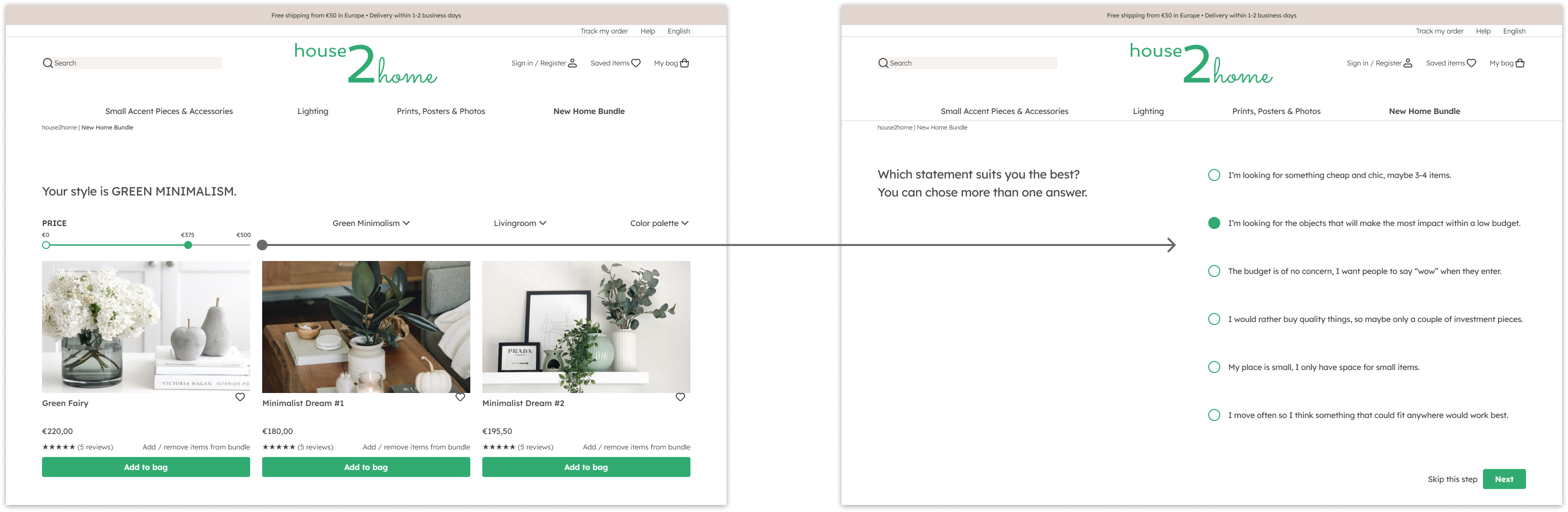
Adding budget-related questions as part of the quiz instead of just a price filter, that would clarify the buyer’s spending intentions.
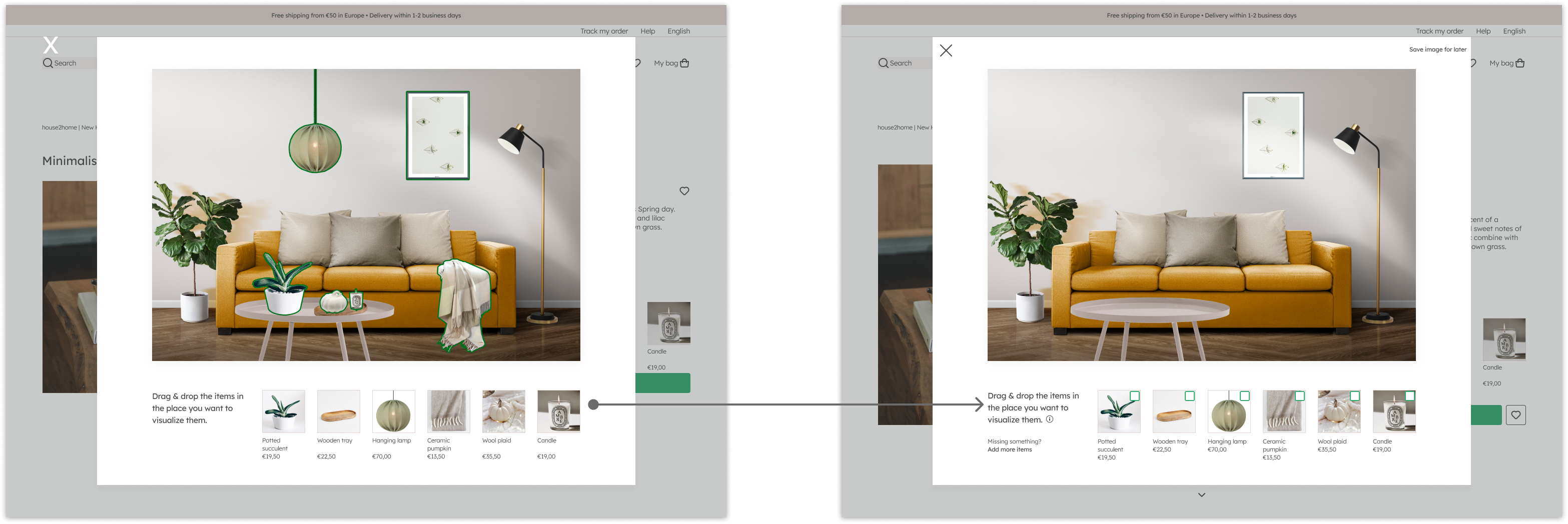
Adding info about how the room visualizer AI works& the possibility to add / remove items to the bundle while using the visualizer.
RESULTS & retro
I spent an extra day adding some revisions to the high-fidelity I tested with, for presentation purposes.
If time was not an issue, I would have explored the idea of having the room visualizer on the bundles’ page. That on top of detailing the prototype and adding several screens that I feel are needed for a smooth flow.
This short project introduced me into the world of sprints, which i something that would prove to be valuable in the following monhs, as I became the dedicated designer of one of the dev teams at my job.
If you’re curious, you can always have a look at my Figma work file.