
SaaS B2B empowering employees for successful career transitions.

discover and define
CAMAS comprises three portals: one for occupational health professionals, one for employers using Perspectief's services, and one for employees benefiting from those services. Each portal features its own tools, tone of voice, personas, and style guide within our Echo design system. Each portal also contains several modules, many of which have counterparts in the other portals.
Due to the old infrastructure, slow speed, and outdated UI of the software, the company decided to migrate CAMAS from version 1 (V1) to version 2 (V2). All portals and their respective modules will undergo this migration process, leaving little time for research.
[Arbo-portal]
The portal for occupational health professionals
[Werkgevers-portal]
The portal for employers
[Werknemers-portal]
The portal for employees
part one
The AM (Arbeidsmobiliteit / Workforce mobility) module in the Arbo-portal serves as a management tool for AM programs - meant to assist employees who have either been on extended sick leave or are part of a mass layoff in finding more suitable career paths. On the other side, it enables AM advisors - around 50 in the company - to oversee files, add activities, generate reports, manage search profiles, and facilitate job searches for candidates.

Naomi Rahmani
Labor mobility (AM) advisor, NL, 41 yo
Naomi brings considerable experience, resonating with the organization's informal atmosphere and long-term solutions.
She guides employees towards new opportunities, supports colleagues, and values interpersonal connections, aiming to make a meaningful impact while navigating regulations diligently.
Despite the solitary aspects of her work, she maintains frequent interaction with colleagues, fostering both social bonds and collaborative efforts.
Motivation
Naomi finds fulfillment in making a difference in people's lives and work.
Frustration
She doesn't always enjoy the limitations of the regulations and doing administration work. Despite thne team growing, they don't benefit enough from each other's expertise.
A week of work
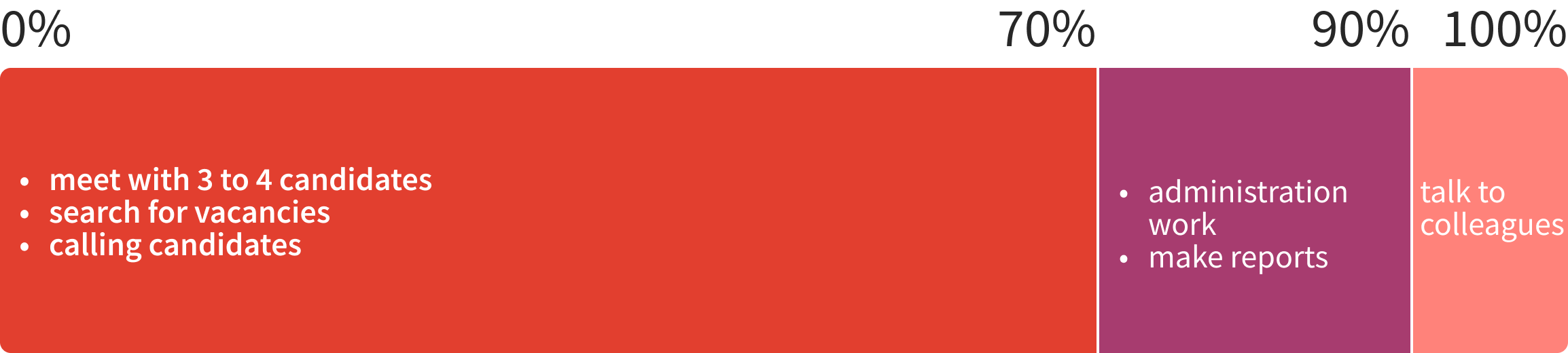
For AM, the focus first lied on succesfully migrating the module in the Arbo-portal to V2. This project started with an explosion of questions, assumptions, existing research, stakeholder interviewing and knowledge sharing. Despite the little room given to research in the planning, I claimed that extra time and was able to secure a number of user interviews with AM advisors. This clarified which features would remain and which were no longer necessary.
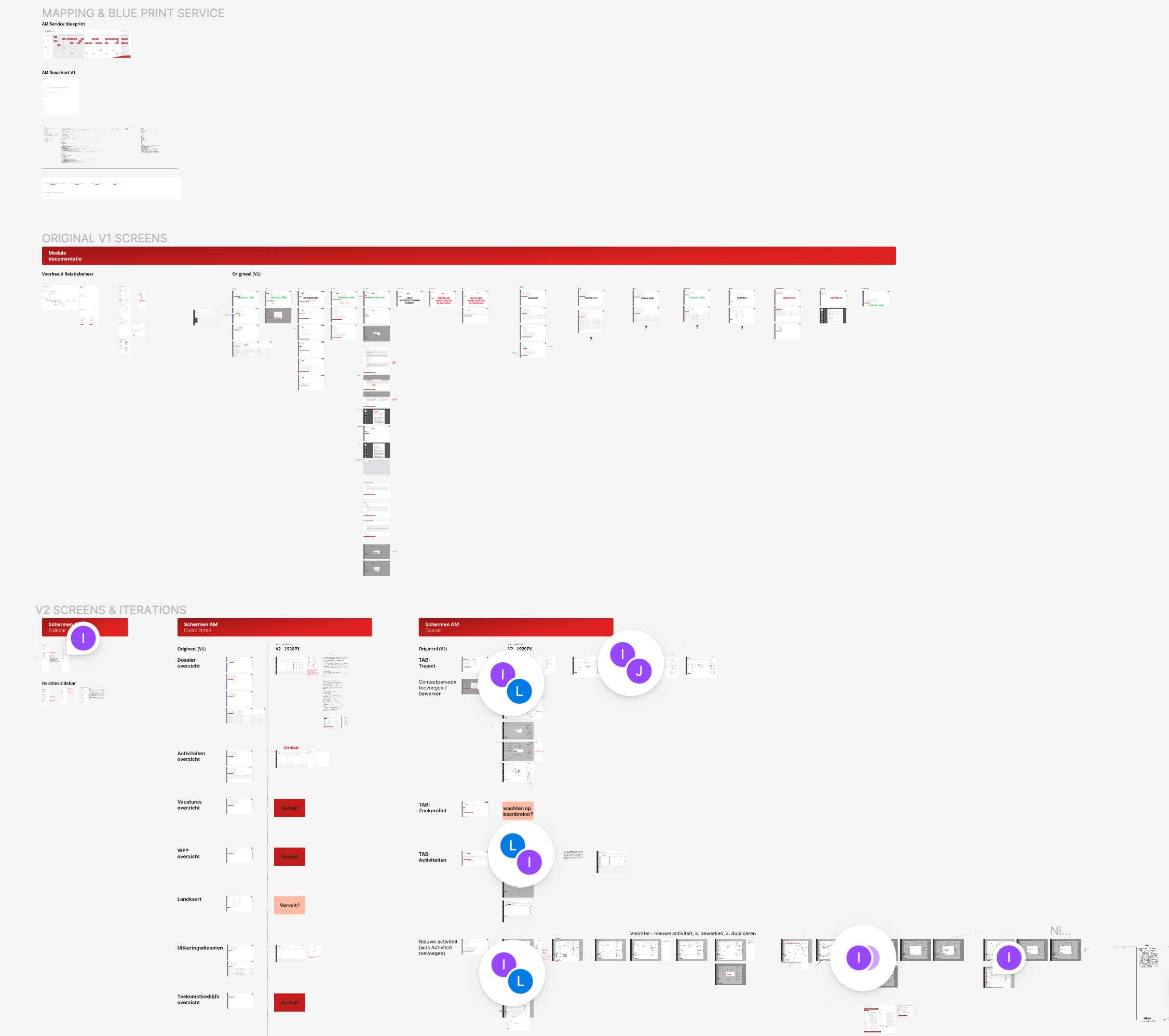
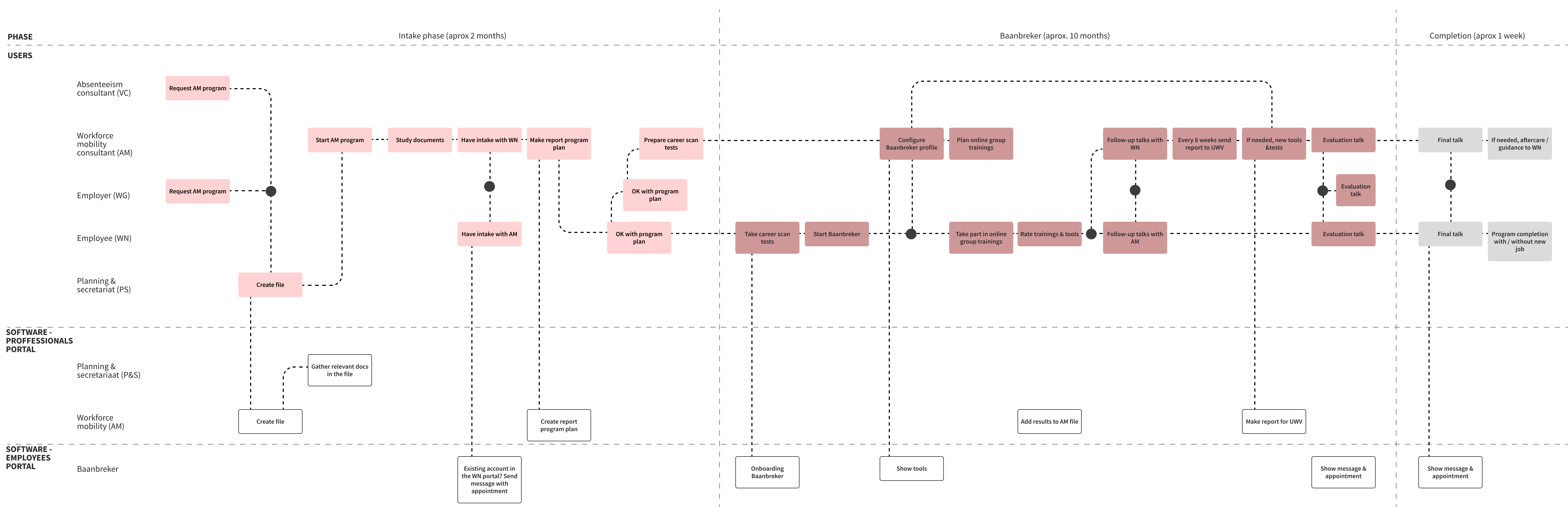
I worked with stakeholders and the product owner to create the AM service blueprint, which helped me grasp the flow of events and key moments. As a newcomer in the company, I didn't realize how complex it could be. There are many different people involved and a diverse range of personas to consider in the design process.
Designing for the portal for professionals, with its learning curve and repetitive tasks, is quite different from the employee portal, where users come from various backgrounds and might be dealing with health issues that affect their functionality. The portal for professionals has around 50 users, whereas the one for employees supports around 12.000. The process would therefore be entirely different.
the migration
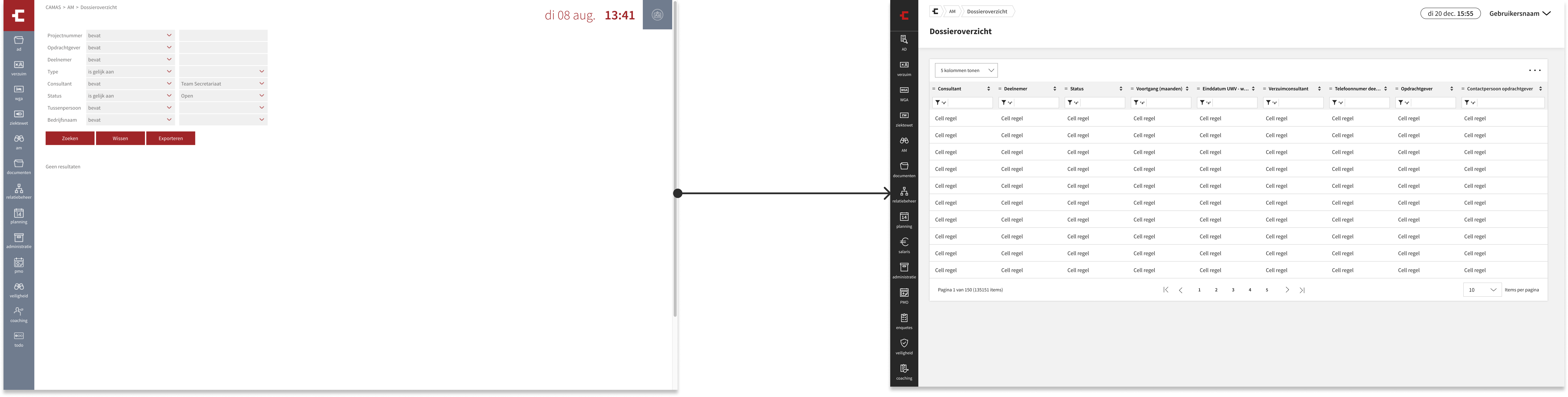
After gathering enough insight, I proceeded to changing the existing screens to the new UI, documented in Echo, our design system. This being a migration project, no big changes were expected. However, the preliminary research led to some big decisions being taken, such as entirely removing the Total Activities overview page, which, I now knew, was tailored to a different persona in another module, but unused by AM advisors.
The existing filters were replaced with a data grid in order to improve the overview of files / activities / documents and boost search speed, addressing a major user pain point.
ile dramatically increasing the search speed, something that we knew was a huge pain point for the users. Other small UI changes have been made to enhance the overall usability of the module.
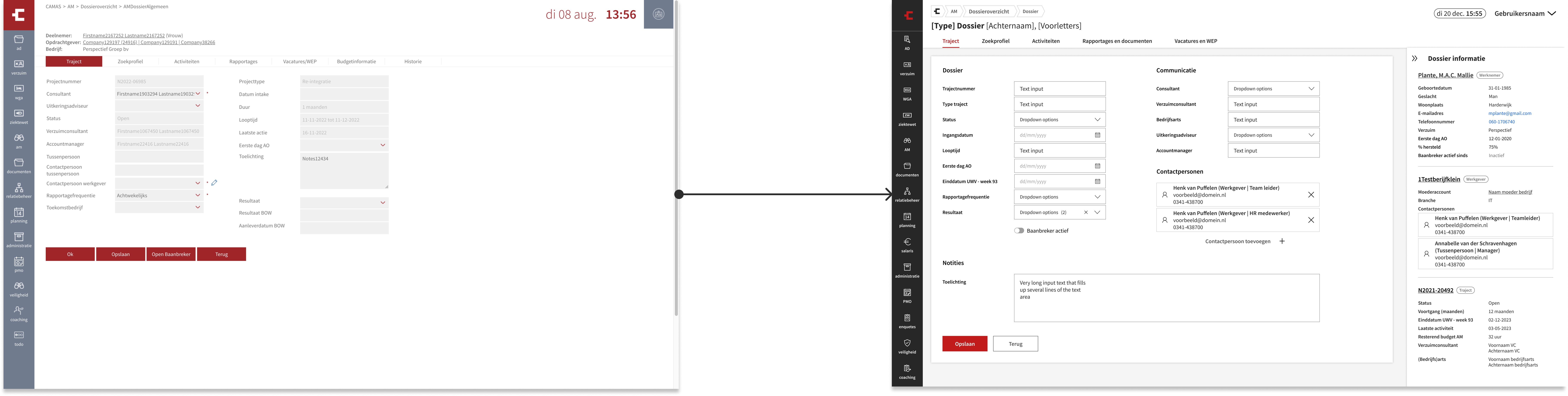
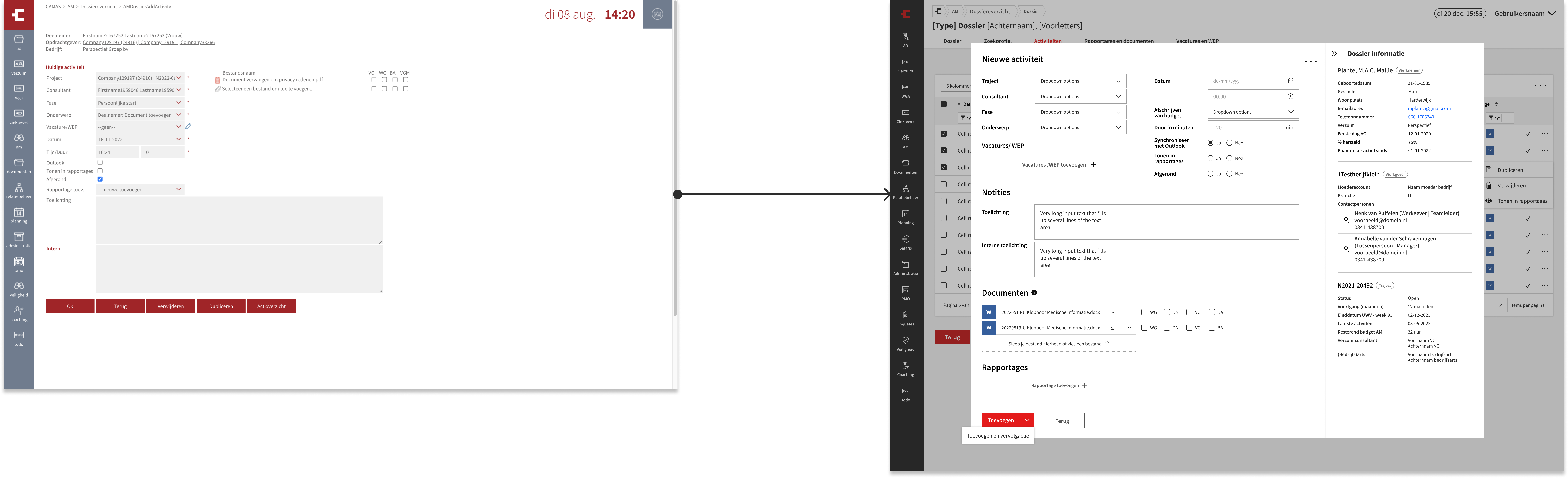

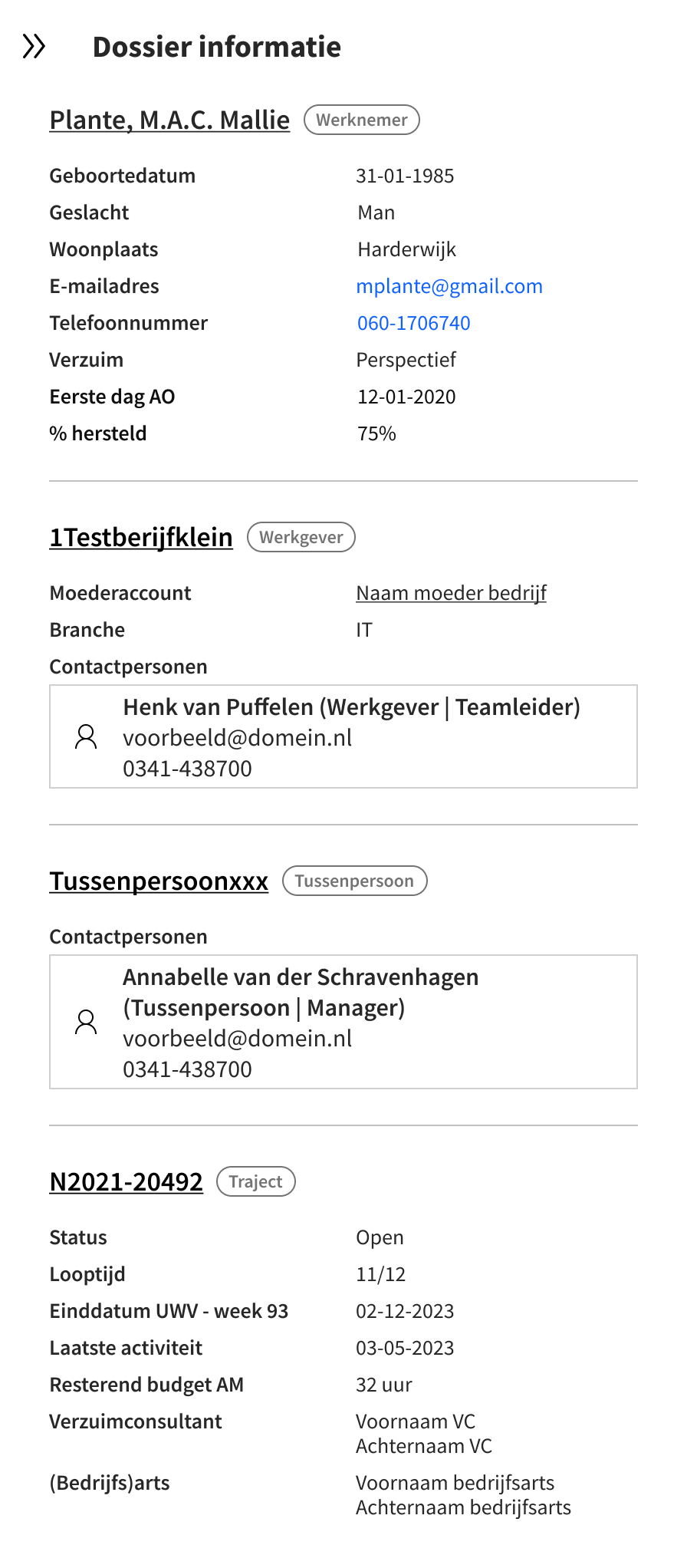
A collapsible sidebar has been implemented for the convenience of advisors, facilitating easy access to all personal details of the individual within the file.
the migration
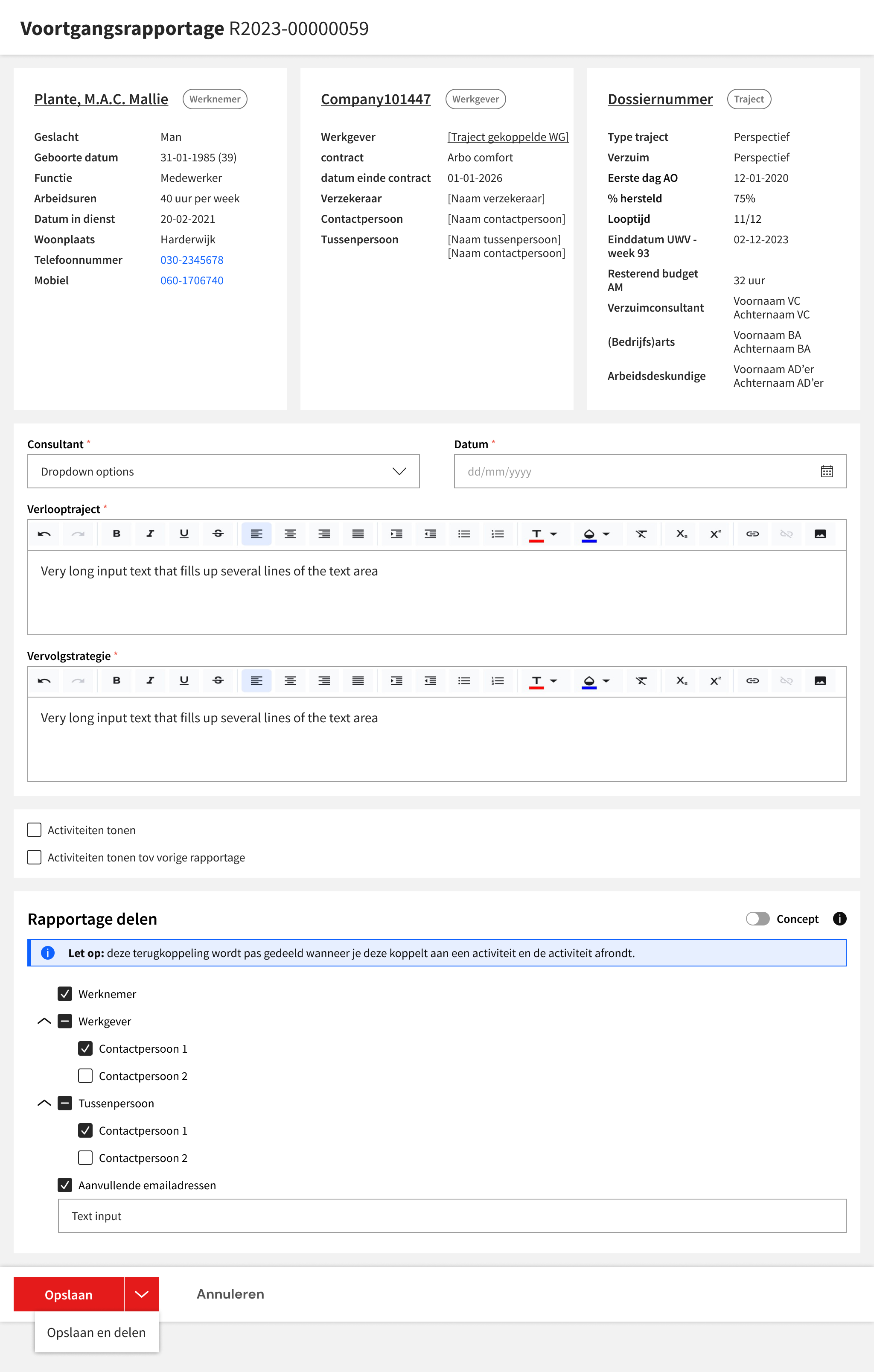
A big role in this every module in the Arbo-portal in CAMAS is played by reports. Within AM, there are four types:
The redesign of all reports within the Arbo-portal, including those from AM, became a separate project, for which I teamed up with another colleague. Given the plethora of typologies, we developed a template to speed up the design and build process while maintaining consistency across various modules.
part two
While we were busy developing the AM module for the Arboportal, we also had to address Baanbreker (untranslatable) - an essential part of CAMAS used by the employees, or as the AM advisors refer to them, candidates. Baanbreker was a tool meant to help candidates create their search profile (similar to a resume), refine their job preferences with assessments, explore job openings using the Jobdigger search engine (which Baanbreker provides access to), and keep track of their activities.
Baanbreker's current form is outdated and no longer meets the needs of stakeholders and users. Moreover, it's operating separately from the Employees' portal, which raises privacy concerns. Recognizing these issues, we understood the necessity of completely redesigning Baanbreker – it wasn't merely a migration project but a comprehensive overhaul.
Simultaneously, I had to shift focus from designing for AM professionals to accommodating individuals from diverse backgrounds, many likely participating in the program due to illness affecting their current job situations.

Bram van den Berg
Amsterdam, 23 yo
Bram, a student in Amsterdam, balances his studies, part-time job, and active social life. Despite occasional football injuries, he remains dedicated to his demanding job, demonstrating loyalty and responsibility. He efficiently manages his schedule and stays connected with occupational health services as needed.
Needs
Clear communication with main points first, quick and easy handling.
Pain points
He gets irritated by slow systems and hard-to-find information. Often calling in sick briefly, he questions the need for information exchange and wonders why it can't be done via his phone.
Device
Phone
Language
C1
Digital skills
High

Hannelore Muler
Eindhoven, 30 yo
Hannelore juggles a broad social circle, relationship, and career amid burnout and impending motherhood. Her sense of responsibility makes delegating tasks challenging, impacting her health. As an online marketing manager, she focuses on career growth but is cautious about sharing personal information.
Needs
Review documents carefully, avoid information overload, and introduce occupational health services for trust-building.
Pain points
Restless when information is missing, postpones tasks when overwhelmed, seeks solutions independently when unclear, and concerns about employer access to information and data privacy.
Device
Phone & Laptop
Language
C1
Digital skills
High

Asha Jansen-Sanches
Rotterdam, 36 yo
Asha, born in Rotterdam to Surinamese parents, values family and social connections. Balancing her nursing home job with caregiving for her mother causes burnout and health issues. Her selflessness and perfectionism make setting boundaries challenging, leading to stress and potential work absences
Needs
Avoid overwhelming information. Communicate clearly and handle tasks efficiently.
Pain points
Postpones tasks with too much information. Prefers concise communication. Restless when information is missing.
Device
Phone & Laptop
Language
B2
Digital skills
High

Fatma Willemsen-Kaya
Groningen, 23 yo
Fatma, a first-generation Turkish immigrant in Groningen, relies on her close-knit network for Dutch language support. Despite health challenges, she prioritizes job satisfaction as a seamstress over ideal conditions, occasionally returning early due to her social nature. Finding fulfillment in her work is rewarding despite limited education, yet achieving economic independence remains challenging.
Needs
Reviewing information with simple communication. Assistance when unable to work independently. Adequate time for task completion.
Pain points
Language barriers affect motivation and understanding. Difficulty with complex or lengthy texts. Irritation with minimal visual cues.
Device
Phone
Language
A2
Digital skills
Basic
Johannes Hendriks
Almere, 47 yo
Johannes adjusts to single life post-5-year marriage, maintaining amicable communication with his ex-wife about their children. Occasional health issues result in extended absences from his 7-year role at a medium-sized livestock company. Despite his preference for directness, he remains due to workplace dynamics, emphasizing health and safety communication.
Needs
Clear, concise communication with main points upfront. Review of documents and communication due to time constraints.
Pain points
No time for lengthy or complex texts. Frustration with slow or unclear systems. Concern about employer visibility of filled-in information. Caution about sharing personal information.
Device
Phone & Laptop
Language
B1
Digital skills
Basic

Cor Dekker
Duiven, 66 yo
Cor, married with one child, enjoys socializing and looks forward to retirement. Despite visual impairment causing neck pain and fatigue, he's been a baker for over 10 years and loves baking at home. Recently reducing to 32 hours per week, he faces challenges with online orders due to his sight, but his workplace supports him with special lighting and he cherishes time with family.
Needs
Time for reading and interpreting information. Assistance when unable to work independently. Accessibility considerations for the visually impaired.
Pain points
Difficulty with complex or lengthy texts. Inability to navigate systems lacking accessibility for the visually impaired. Challenges due to low digital literacy skills, particularly with logging in.
Device
Phone
Language
B1
Digital skills
Low
discover and define
In the beginning, I took part in a brainstorm session with the stakeholders of the AM module and other closely related modules, which led to the creation of the new vision for Baanbreker:
There was a clear recognition for a new direction for the entire Werknemerportal: modules should no longer be specific to individual programs; instead, employees should have access to generic modules irrespective of the service they're utilizing. Of course, there would be exceptions, with Baanbreker being one of them. This vision was then translated into a series of user stories essential for the MVP, ensuring the continued functionality of Baanbreker and its counterpart, AM, in the Arbo-portal.

Following further discussions with AM advisors, I began piecing together the puzzle by aligning user stories with existing V1 screens, or if those weren't available, with hand-sketched wireframes, to construct a cohesive narrative.
It quickly became apparent that we needed more modules than we initially thought. Baanbreker remains program-centric, handling tasks such as creating a search profile, incorporating our job search engine, and bookmarking favorite job openings. In addition to these functionalities, candidates should also be able to:
Candidates participating in other programs can also benefit from these modules. To further organize our approach, I created a flowchart outlining both the current modules and potential future additions, providing a visual roadmap for development.

prepare
The project took various turns. Once I had a clearer structure in mind, I developed wireframes for the most crucial flows. Together with stakeholders, the product Owner and the dev team, we determined what should come first.
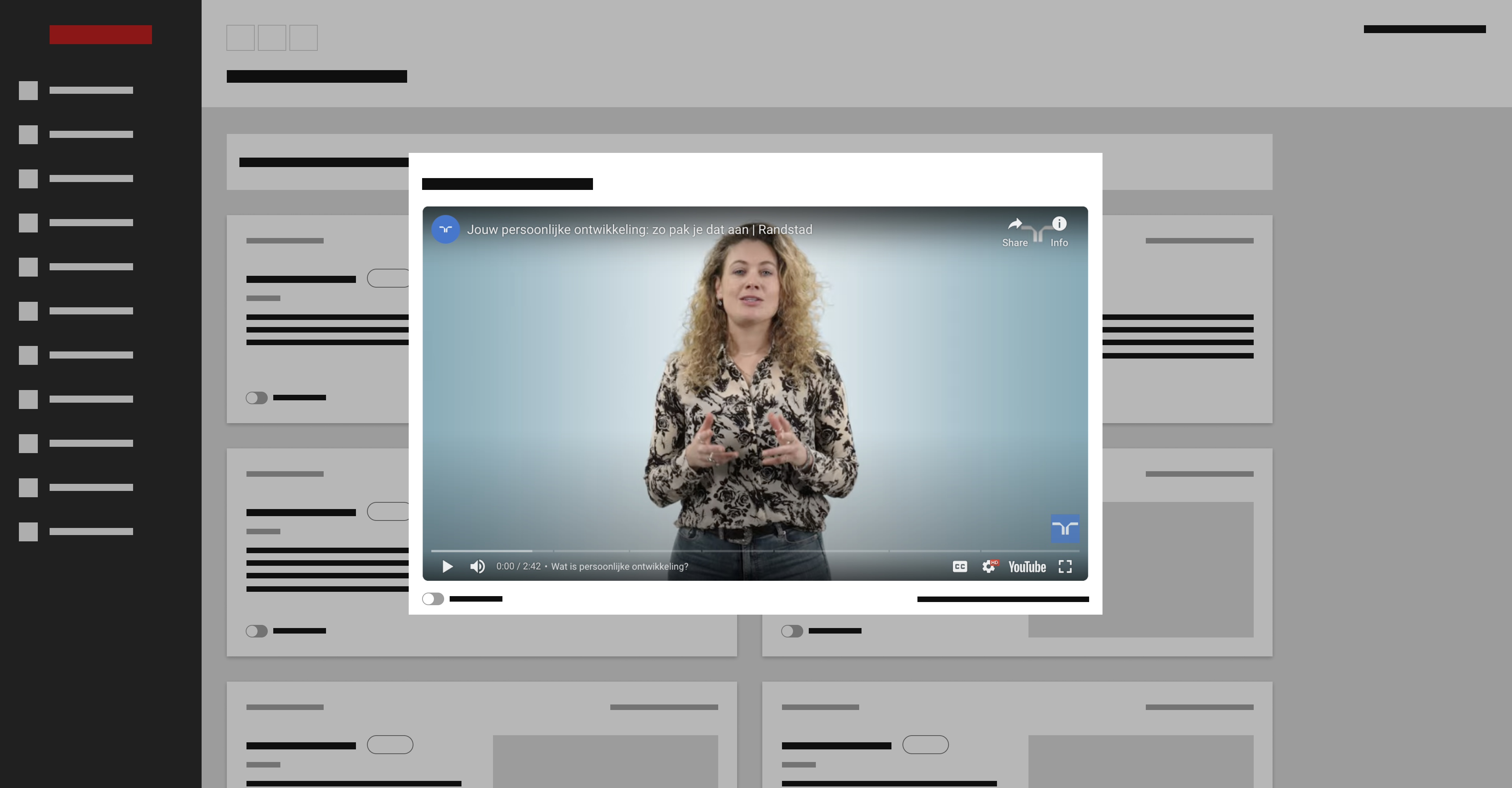
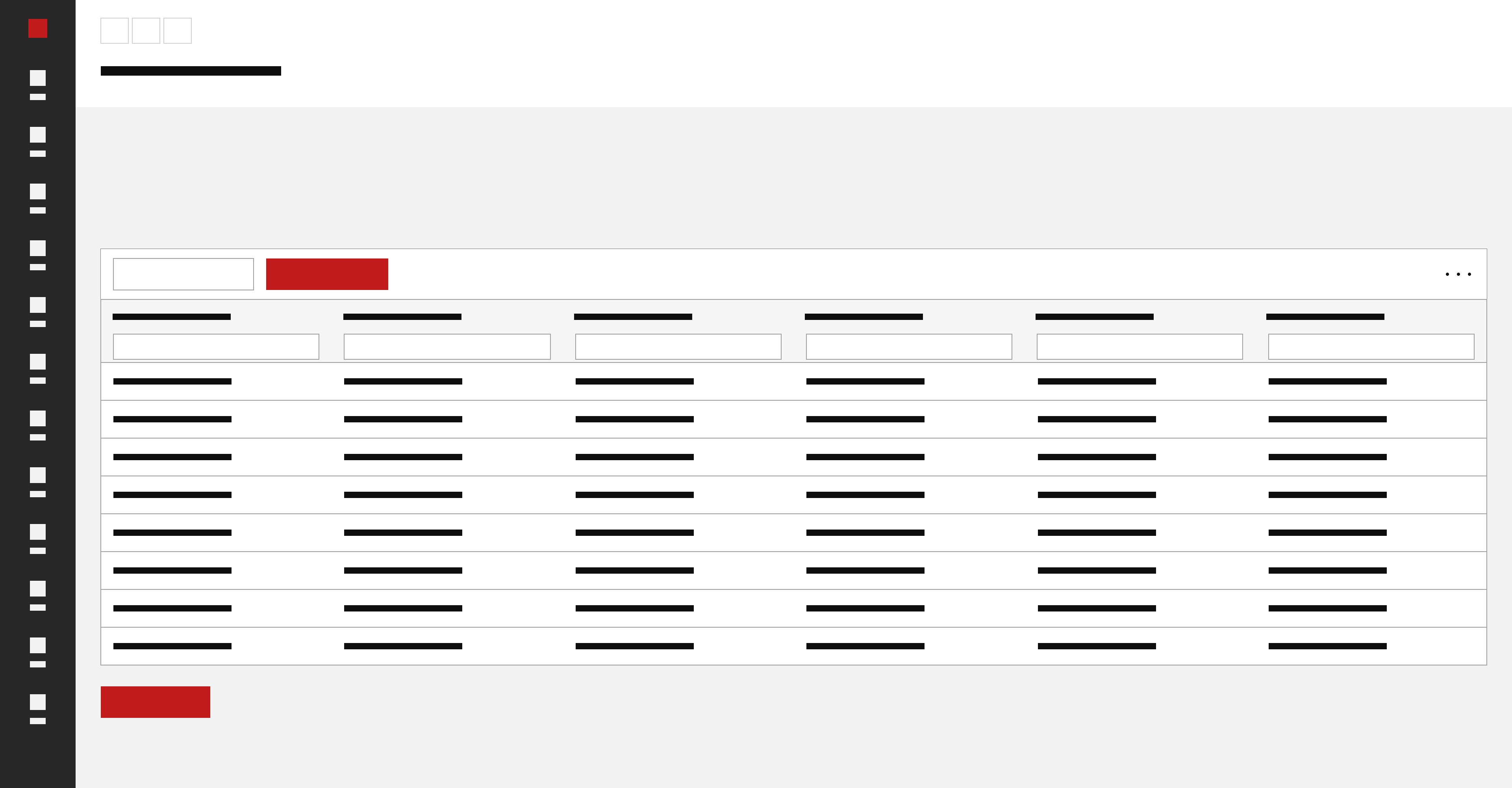
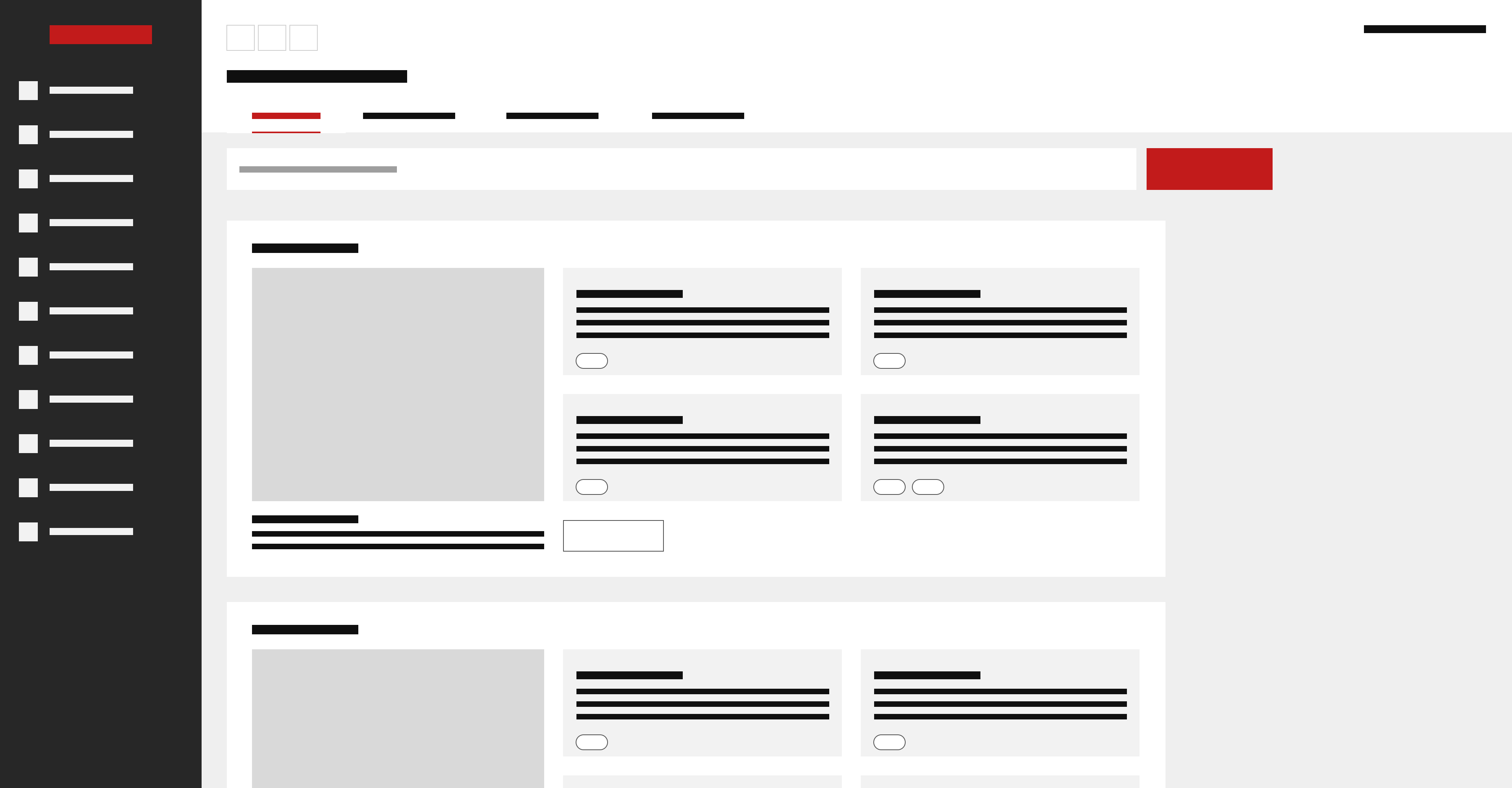
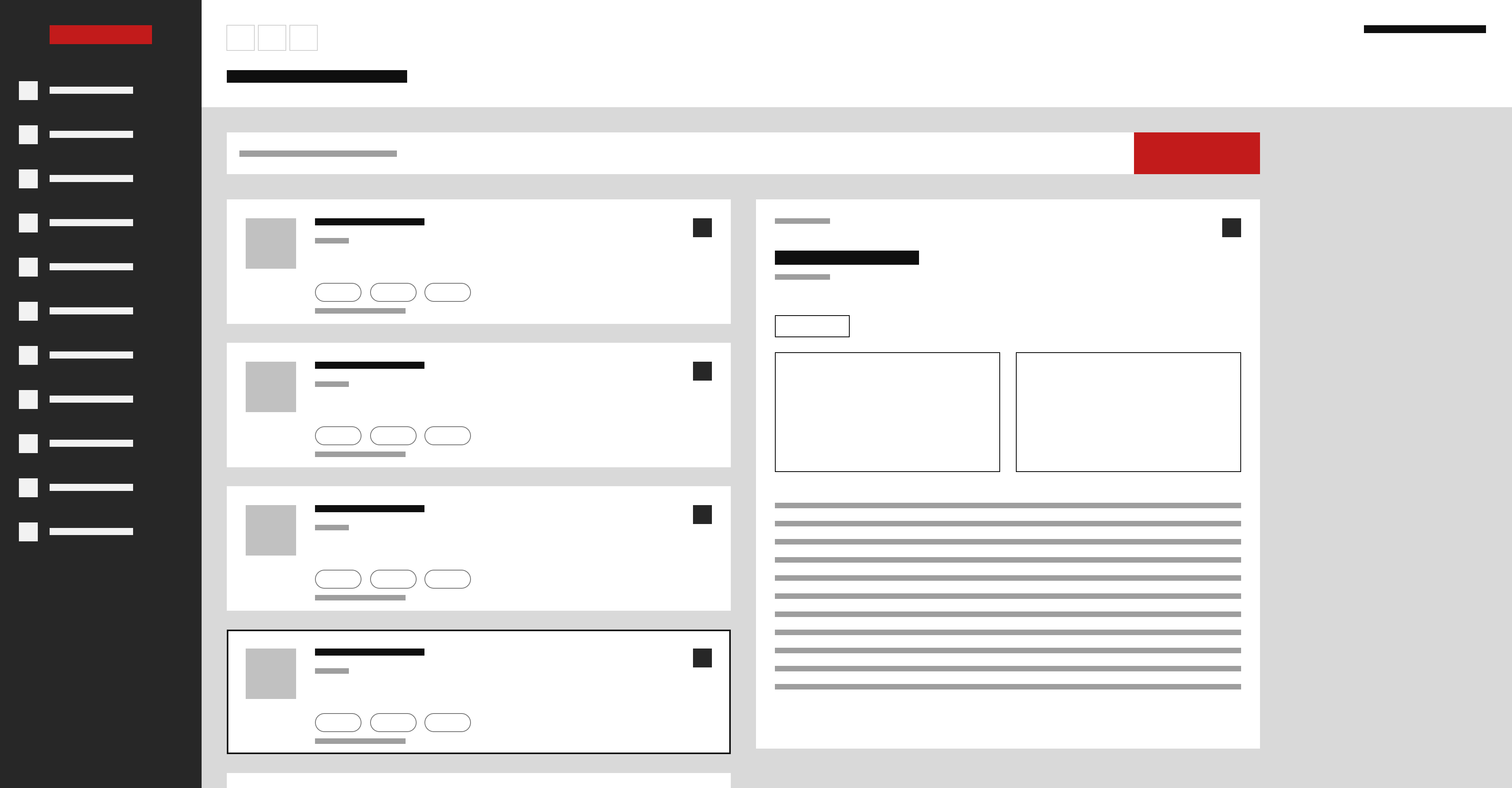
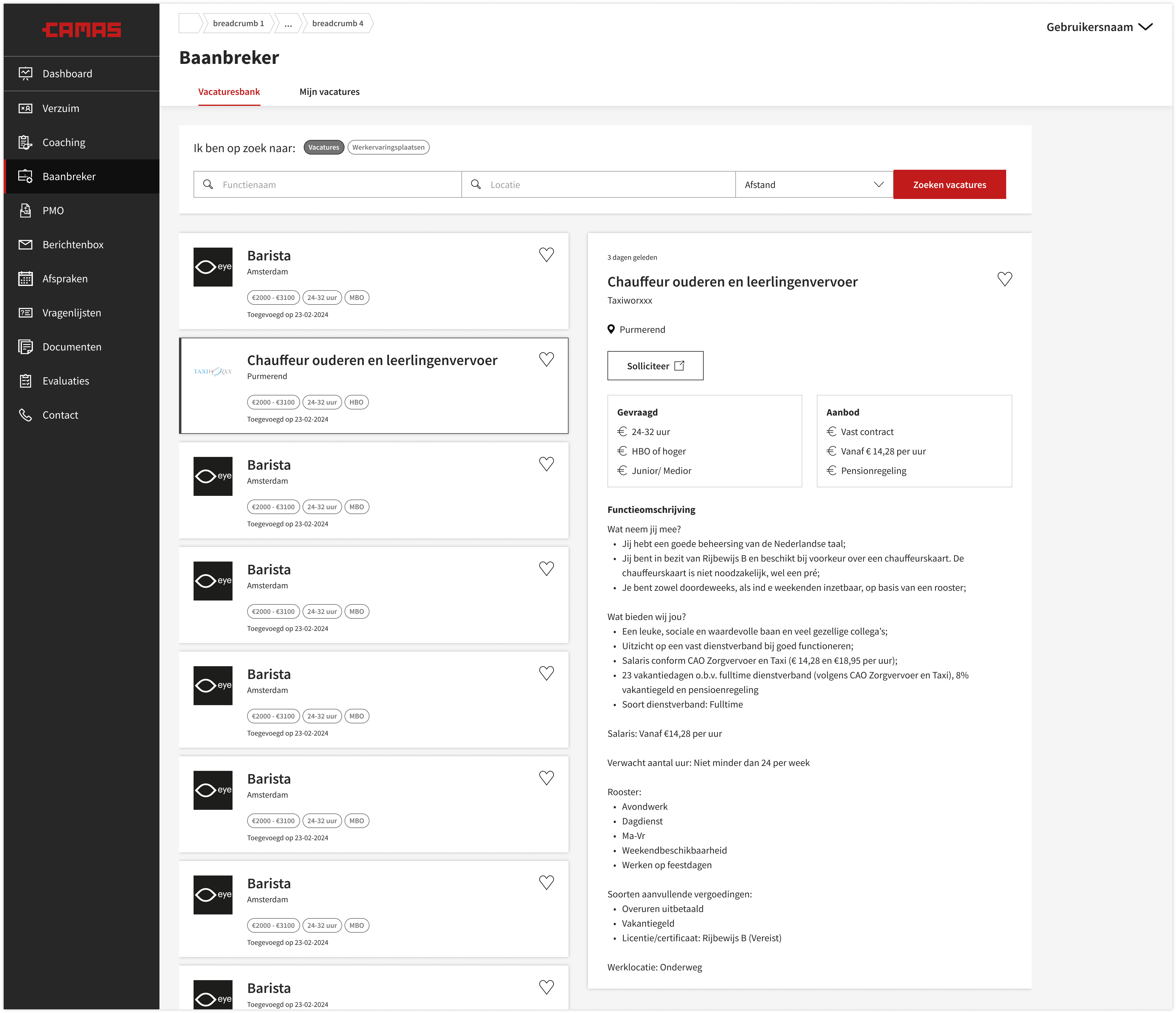
I dedicated several weeks to working on the Vacatures / Job board section of Baanbreker, specifically the new job search engine intended to replace Jobdigger. However, this effort was halted when it became apparent that it was a significant, costly endeavor not essential for the AM program's existence.
Part three
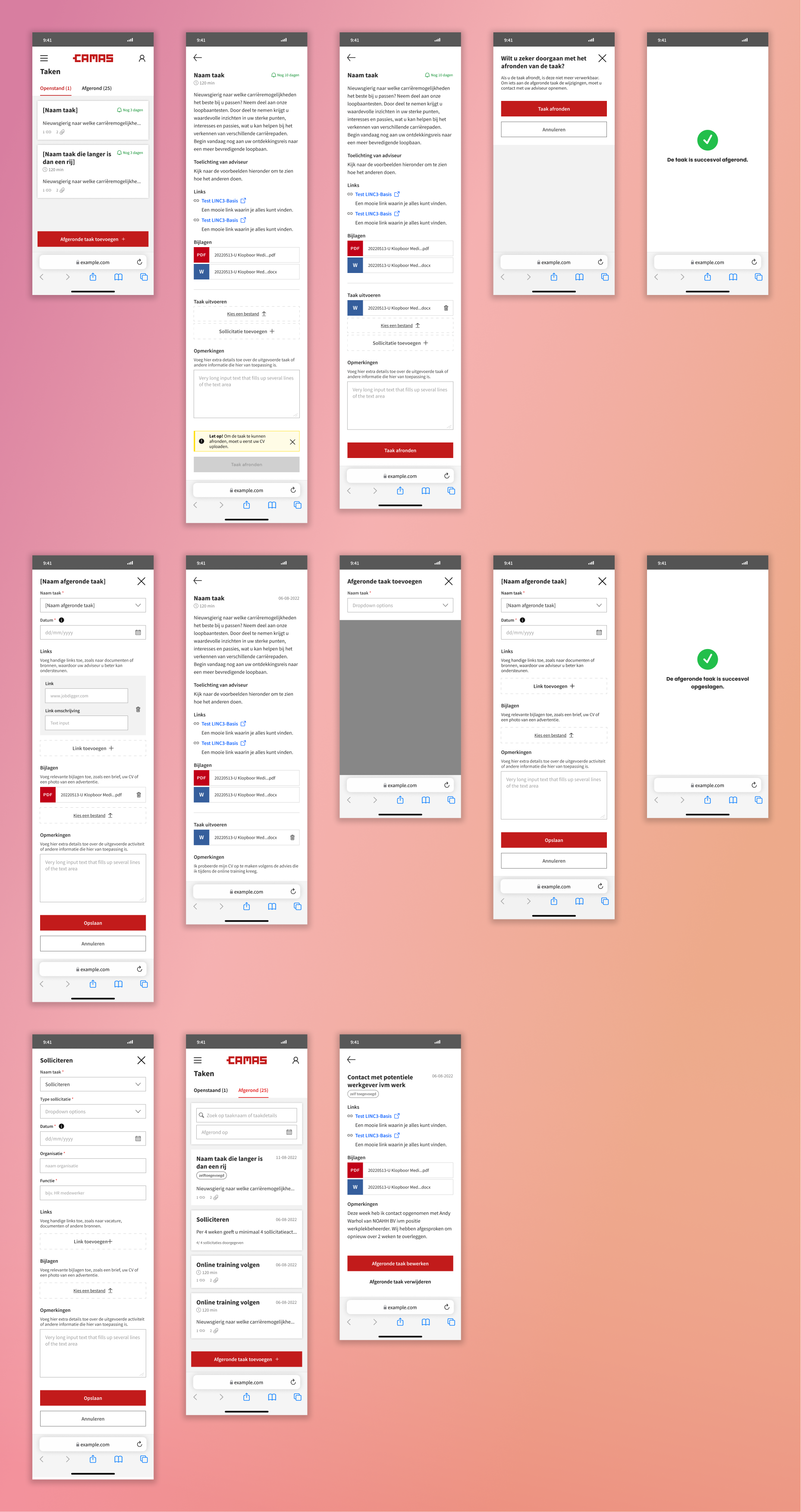
It was decided that the next big topic the team should be working on would be Taken / Tasks, a separate module in the WNP through which the candidates can receive, view and complete tasks given by the advisors.
Delaying intuition until the problem is understood continues to be the most effective method. This is the moment during a project when having good questions is far more useful than good solutions. I went back to my pool of AM advisors and stakeholders, this time focusing on how they define, assign and enforce tasks.
Corroborating the qualitative research with the quantitative from the data team and the existing personas, I knew that more than 80% of the candidates prefer using their mobile devices over laptops. After discussing this with the UX team, we concluded that the entire WNP should adopt a "mobile-first" design approach - it was previously mobile-friendly at best. From this point forward, I paid much more attention to screen space.


ideate and execute
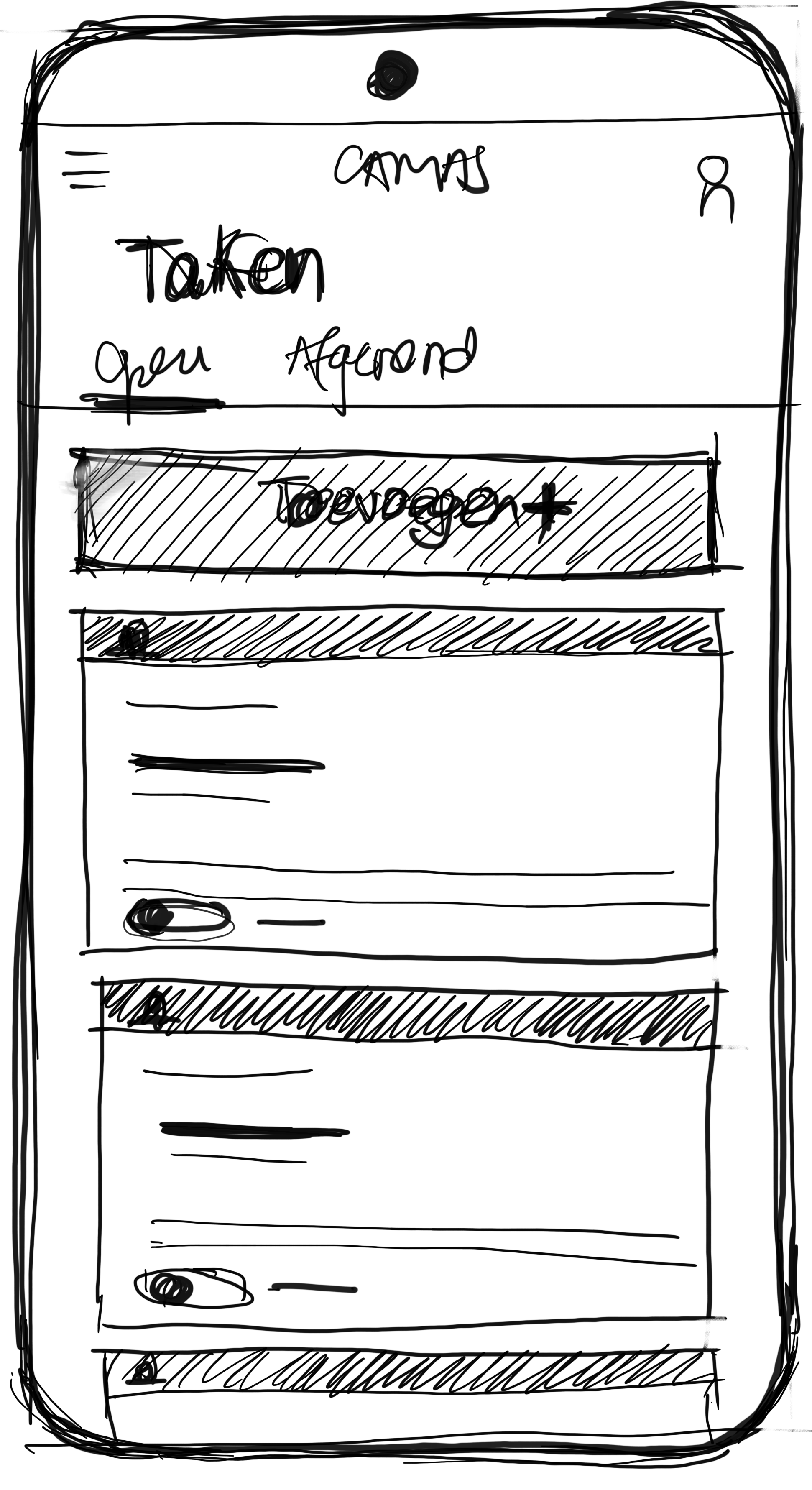
Tasks will be categorized into Openstaand / Open and Afgerond / Done, each as separate tabs displaying their contents within containers, to keep things organized. I've done thorough research to make sure that only crucial information is shown in these containers, considering candidates may be experiencing burnout.
To prevent them from feeling stressed or overwhelmed, we aim to keep the number of tasks in the "Open" tab low, ideally not exceeding two. This aligns with advisors' preference to work on 1-2 tasks per session, to be completed by the next one. Conversely, they may accumulate 50 to 100 completed tasks over a year, necessitating a search bar.

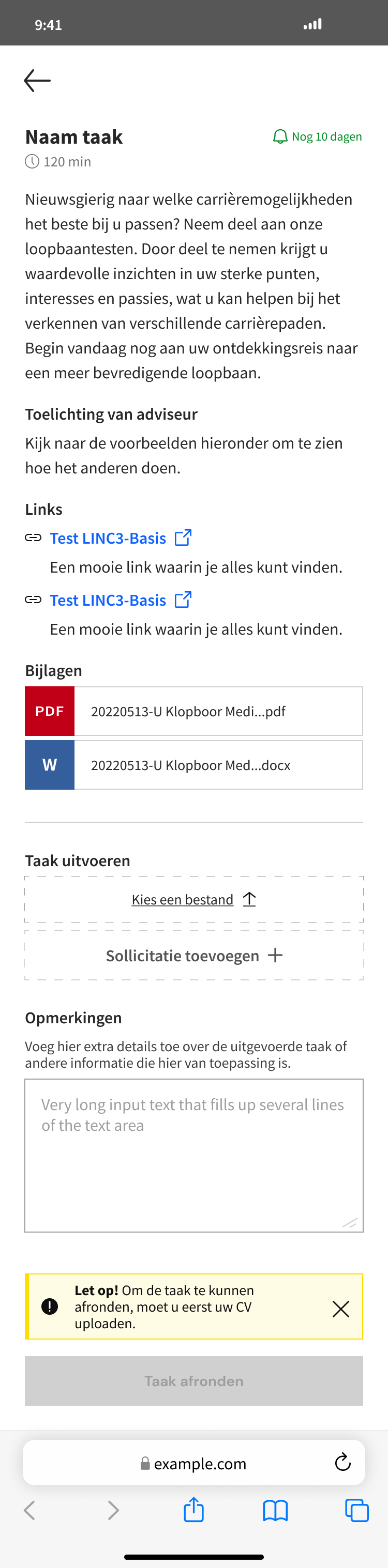
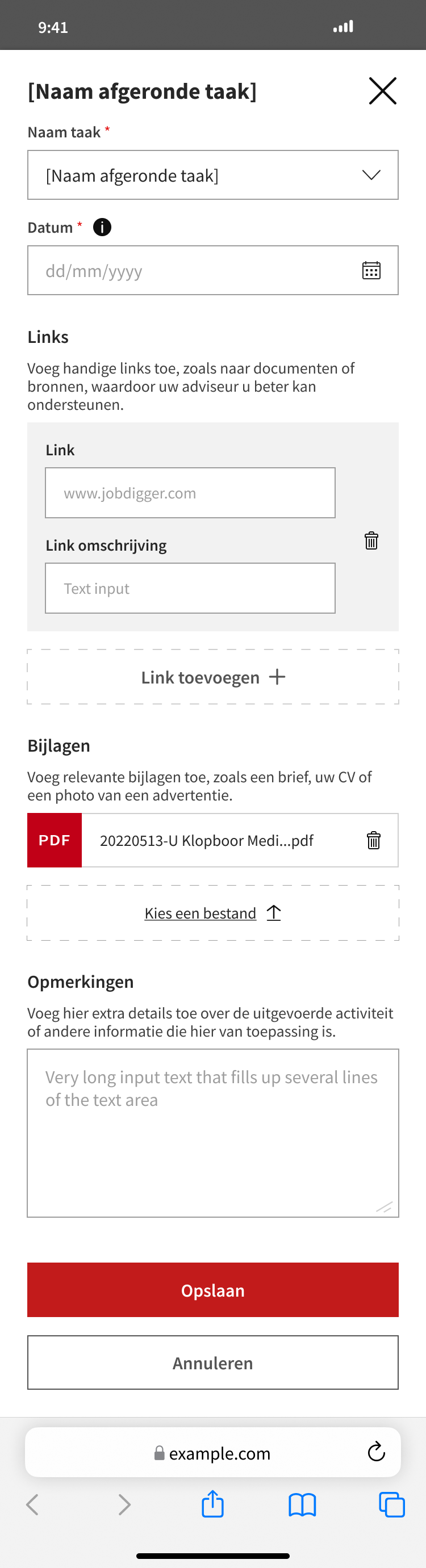
After inventorying tasks, I realized I needed a recipe to streamline building time and maintain consistency across screens. Working with templates, like with reports, seemed the most obvious solution. They cover all scenarios for content, task completion, and adding a task. Interviews with AM advisors helped shape and iterate these templates.
testing
It was time to start testing with the AM candidates. As there's no standard approach or incentives within the company due to the delicate nature of the matter, I asked several advisors to facilitate the contact. I gathered 7 people and put together the prototype.

I teamed up with our researcher for the first round of usability testing. We prepared three scenarios which would cover most important flows. The metrics we used: efficiency and time, success and error rate, learnability and pleasure in usage.
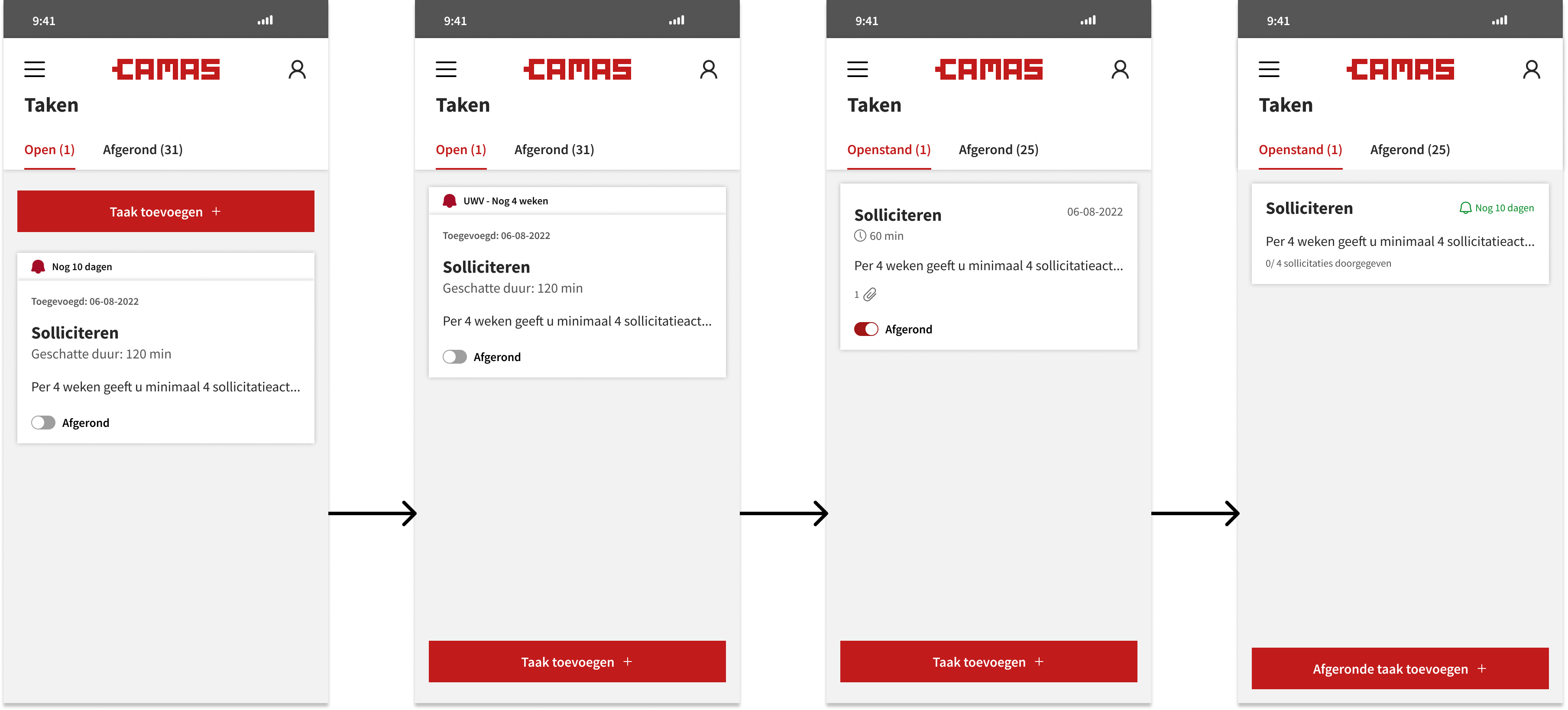
One crucial finding was the confusion caused by the "Task completed" switch in the container footer. Can a task still be marked as incomplete while it's in the Completed tab? After discussing with stakeholders, I decided to remove the switch entirely from the container and replace it with a button inside the task. This button suggests a one-way action and requires validation upon clicking.
design
I continued to iterate and test with another pool of candidates. At the moment of this being written, the screens for Taken were ready for production and I was busy checking the connections with the AM module in the portal for professionals.
But as it is the case with any B2B product, these modules are alive and they constantly adapt to the needs of their users, so the work is never done. Next comes the pilot phase and improvements are sure to follow.
retrospective
As of the current writing, the AM module within the portal for professionals is built and in pilot phase. We are busy tracking its performance and gathering valuable feedback and insights from the pool of users in the pilot. A private channel on intranet ensures fast and clear communication. The info comes back through the help of surveys, feedback forms, interviews, but also direct comments via this channel.
We used several UX metrics (to be continuosly monitored) that would ensure a well-informed growth strategy, amongst which:
One of the biggest areas of improvement can be seen in the number of phone calls / emails the helpdesk receives. The new back-end structure combined with the enhanced UI resulted in a 42% decrease in tickets from AM advisors for this specific module.
We began tracking the time spent on various tasks, such as creating new files and generating reports. In nearly all cases, the time required decreased significantly, sometimes by as much as threefold.
The AM advisors were asked to rate V1 and V2 on several aspects, giving V1 an overall score of 6.2, while V2 already went up to 8.3.
Working on the AM module and its many aspects has taught me a lot. Besides gaining new skills, I’ve realized that building good connections with your team, stakeholders and users can really take you places. I'm proud of what we've accomplished with this module and grateful to have collaborated with such wonderful people.