
Supporting families through a relocation process.

Solution
An essential tool during relocation, NEST focuses on providing accurate information tailored to the user’s profile, with an emphasis on family life.
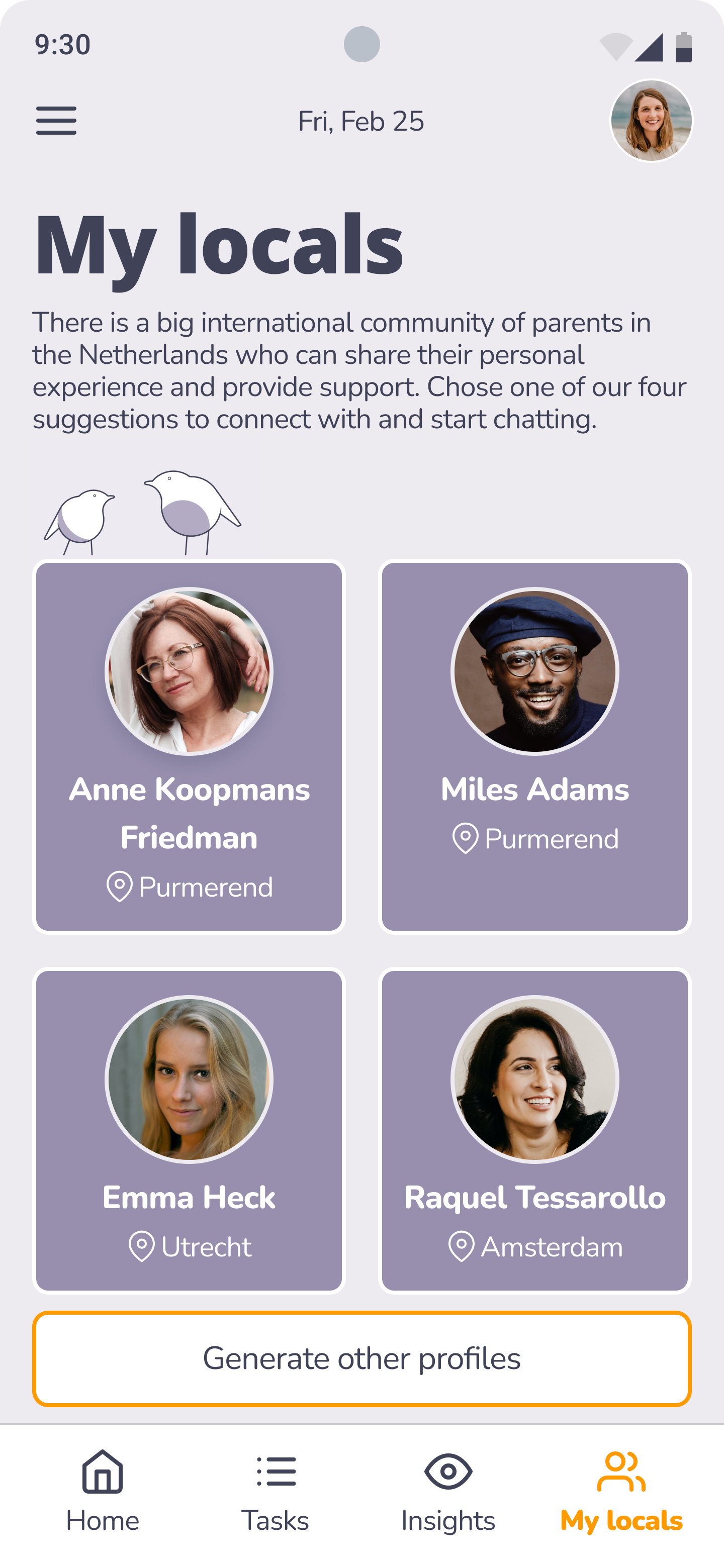
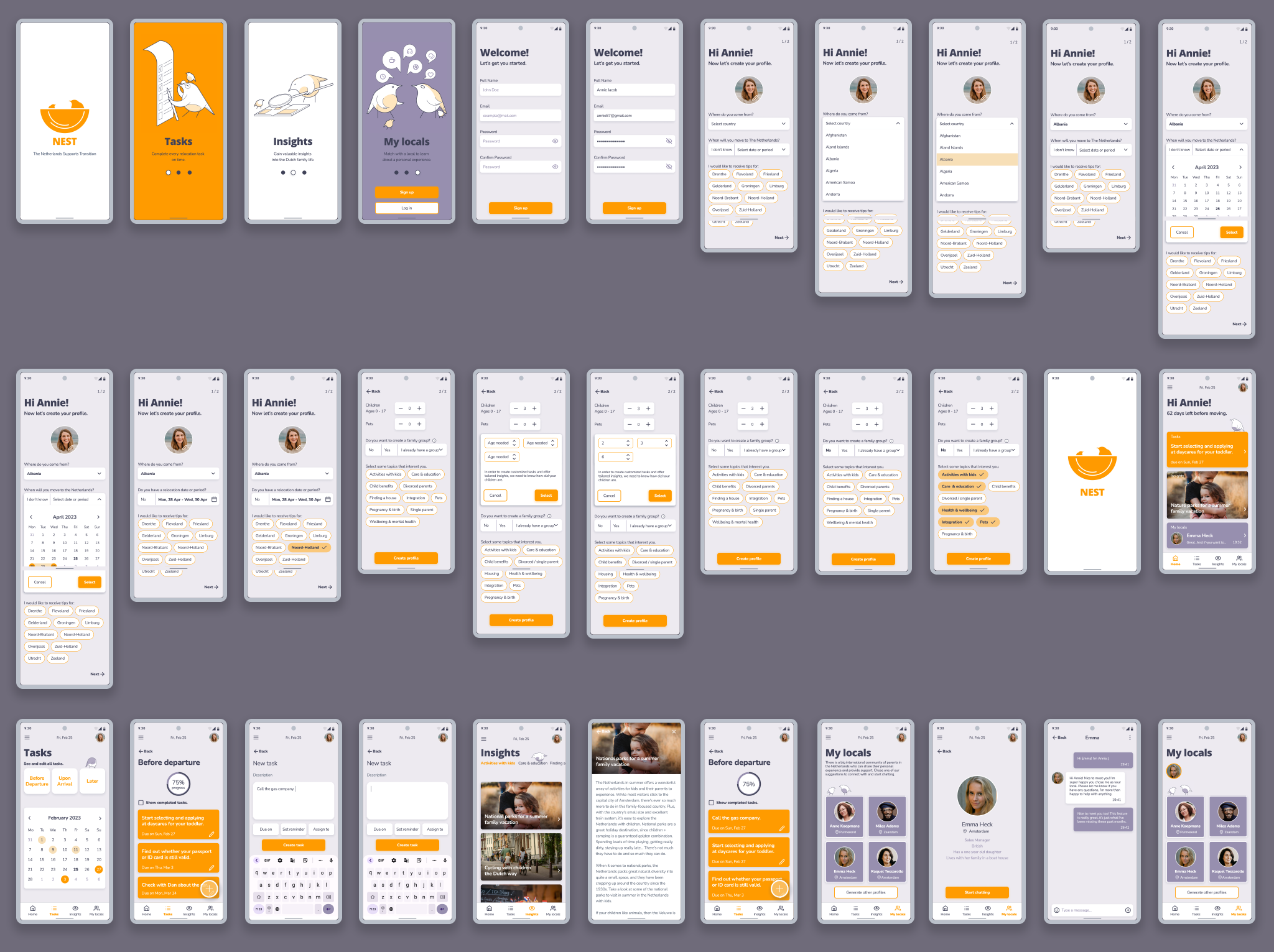
The app guides users through their journey by offering a task checklist, personalized articles about life in the Netherlands, and connections with locals, allowing them to learn from others' experiences.
White paper research
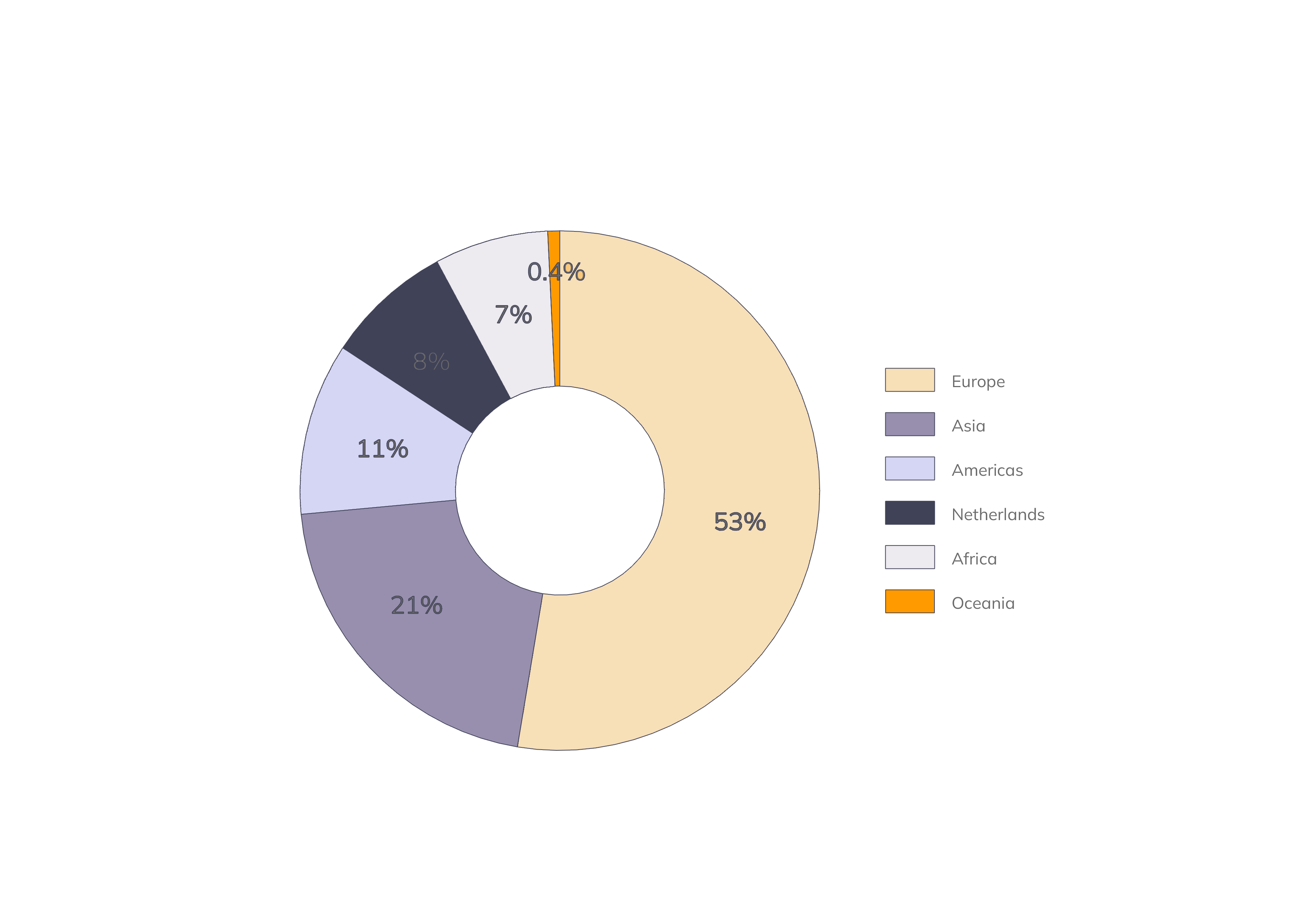
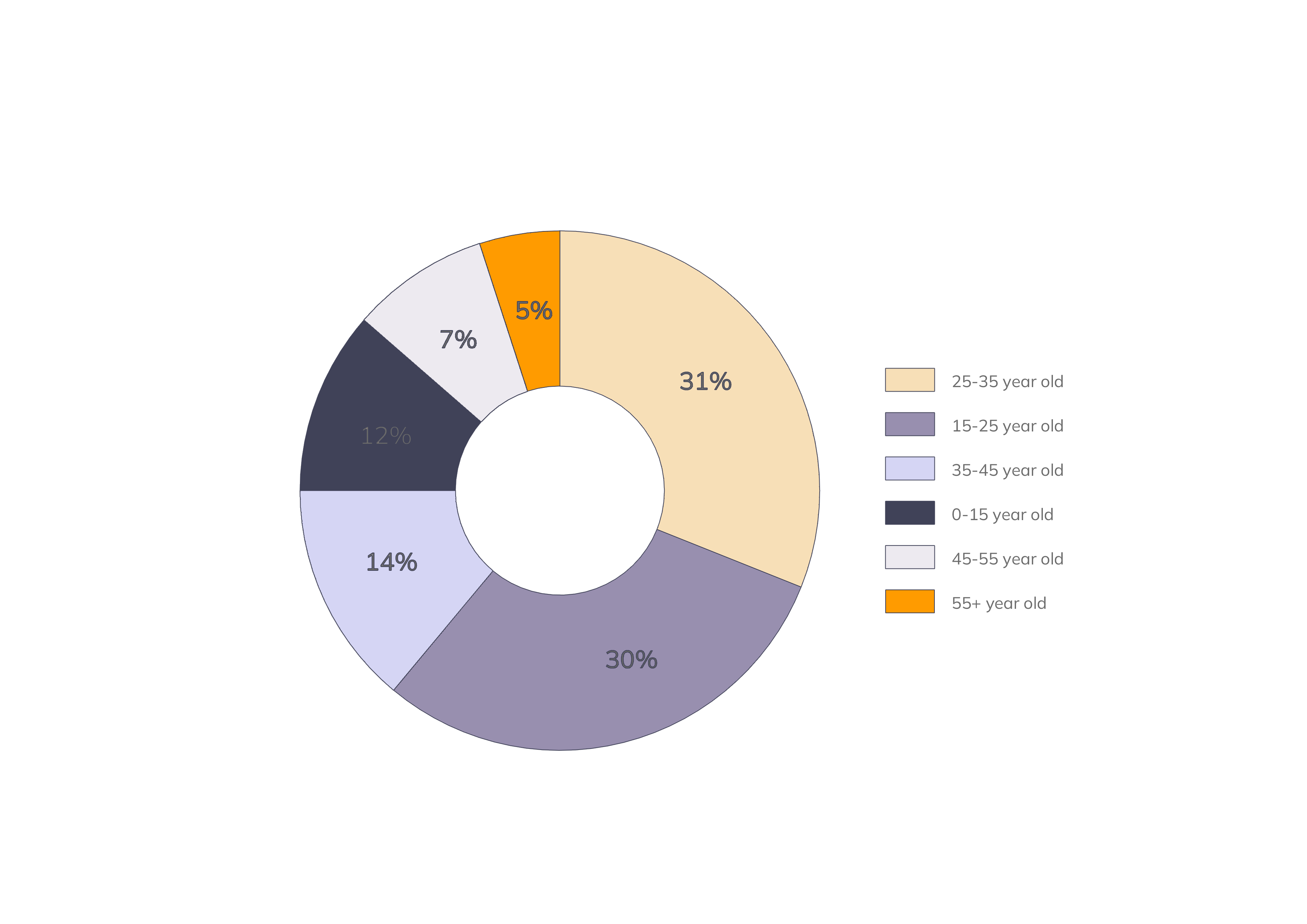
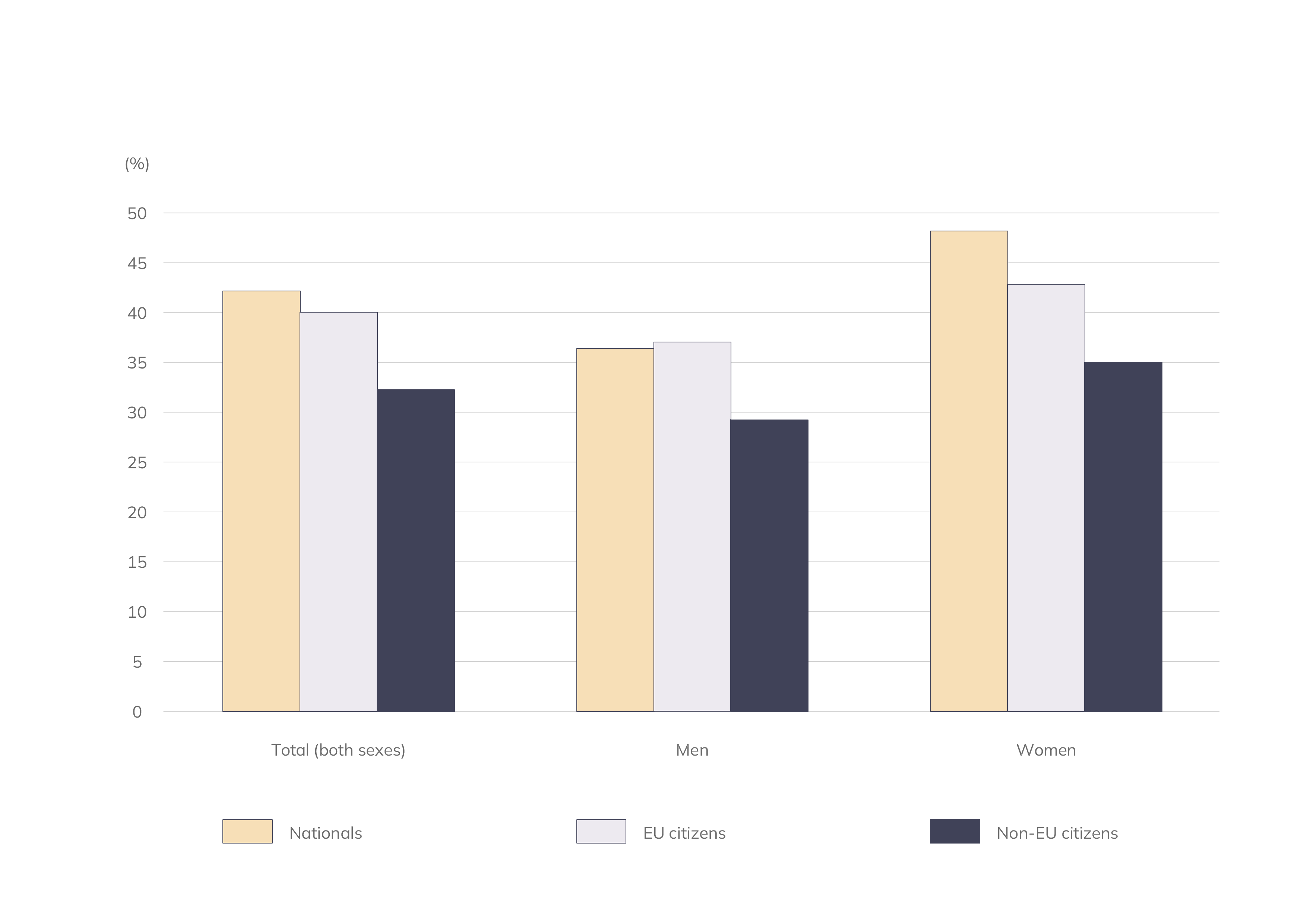
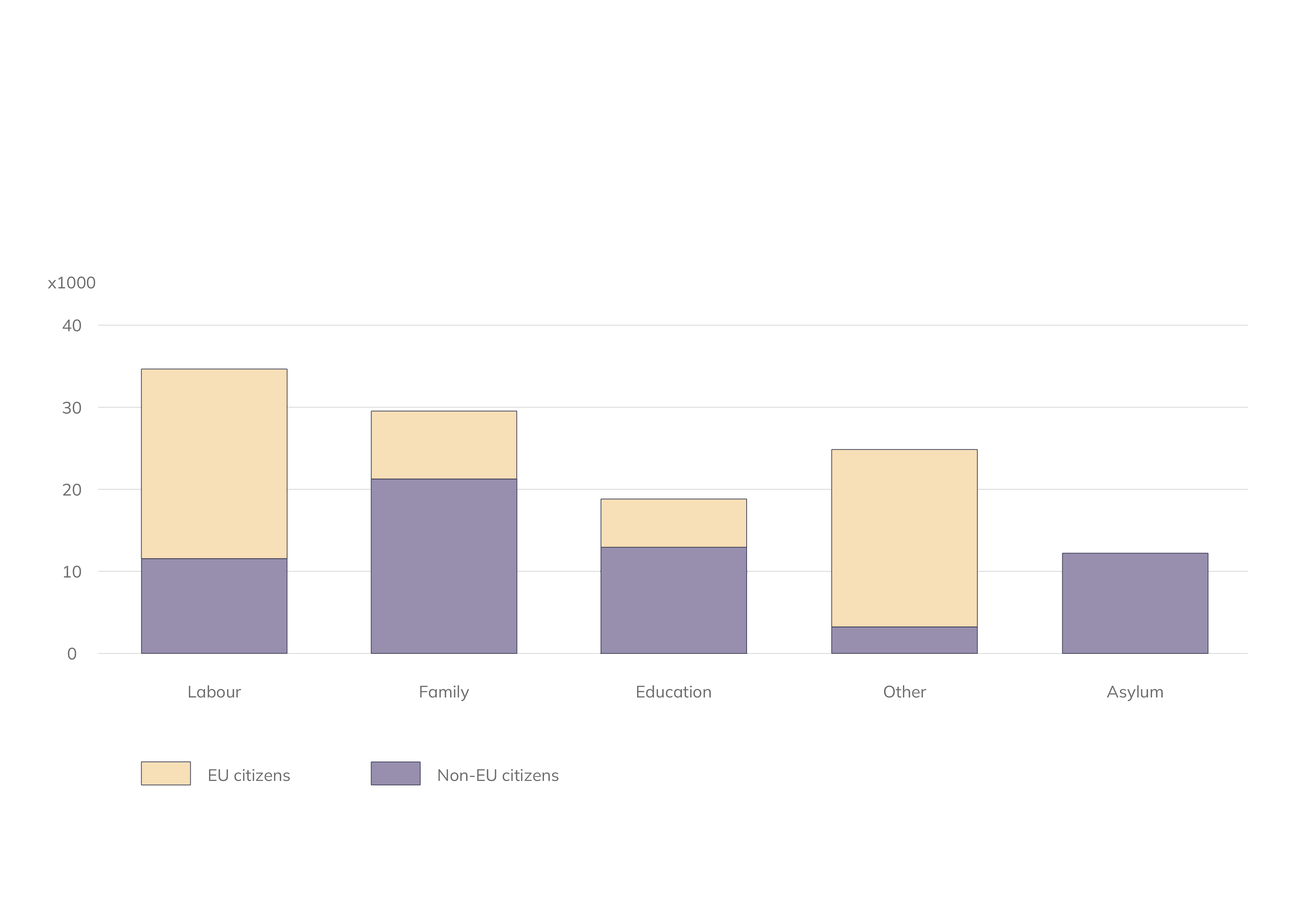
At the start of the Discover phase, I began to draw from research articles on the topic of immigration in the Netherlands to learn more about families wanting to move here.
COMPETITIVE ANALYSIS & HEURISTIC EVALUATION
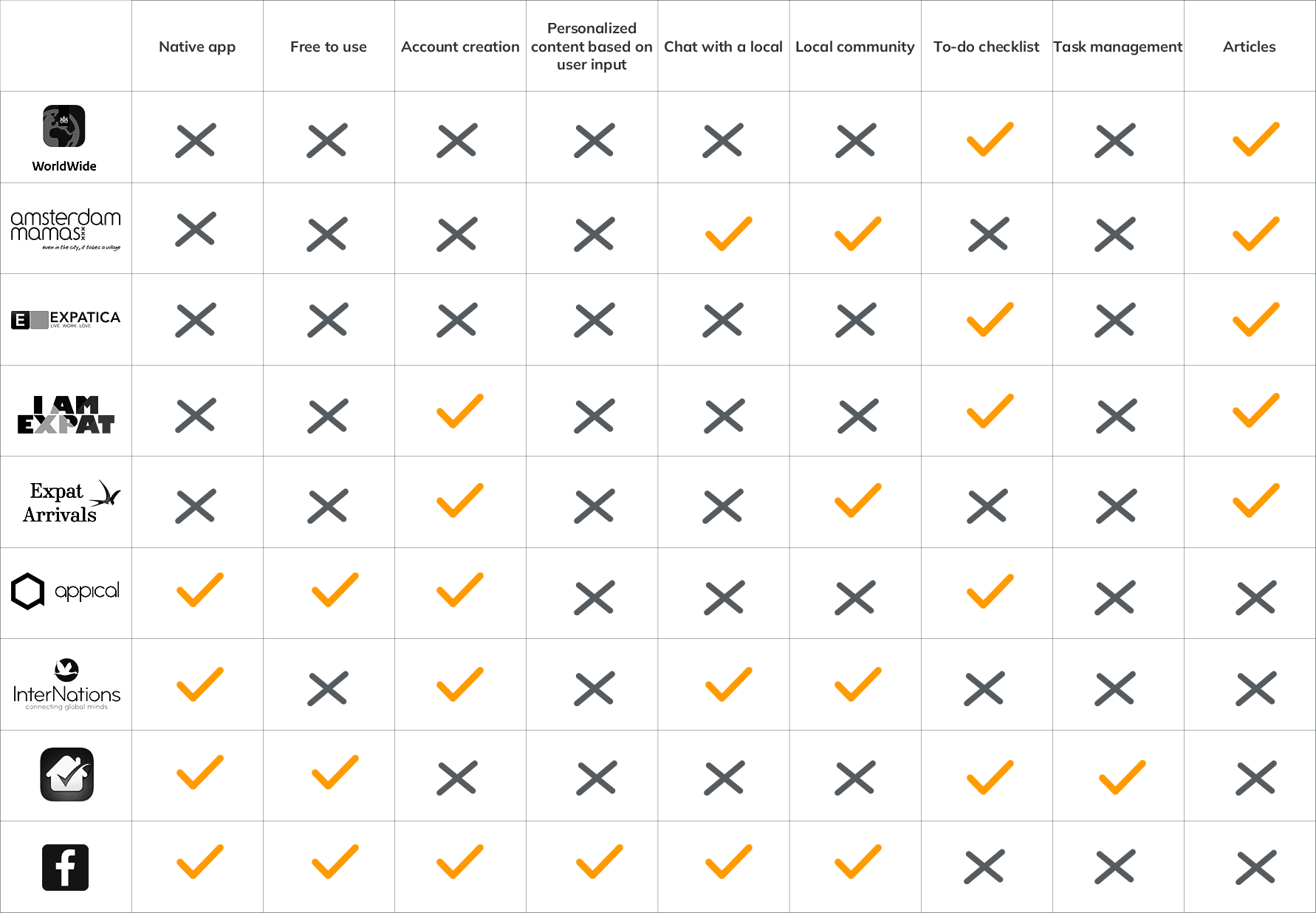
Next, I conducted a Competitive Scan of nine available solutions and a more in-depth Heuristic Evaluation of three of them. The competition only catered to certain limited aspects of the problem, and none offered a personalized approach.
Screener survey
I created a Google Forms screener survey to gather participants for my research. The survey had 22 participants from the target group - people planning to move to the Netherlands from all over the world. Here's what it revealed:
86%
are tech-savvy, using a smart phone intensively every day
54%
found it fairly easy to do their research online, the rest couldn’t find everything they needed
50%
are in a relationship / married, with children / expecting
33%
are planning to move within 2 months, followed by 19% within half a year
36%
are moving for a job, followed by 27% partner offered a job
User interviews
Although I knew from the survey that the audience could mostly find all they needed online, I wanted to see if that could be validated through the interviews. I chose five people that I identified as good candidates (both EU and non-EU backgrounds, moving to the Netherlands with their children for various reasons).
"I don't like uncertainty."
David, Austria
"I'm the type of person who always wants as much info as possible, from many sources, because there are so many people with different experiences."
Roberta, Italy
"We could only decide which city to live in after visiting in person."
Maria, Italy
"I was panicking about not knowing what we should do first."
Ebba, Sweden
"I prefer talking to people that I know and already move and are living there."
Andreea, Romania
Synthesizing research
Based on the insights collected so far, I used affinity mapping to organize them into three areas: gathering information, prioritizing tasks on the to-do list, and community/connecting.
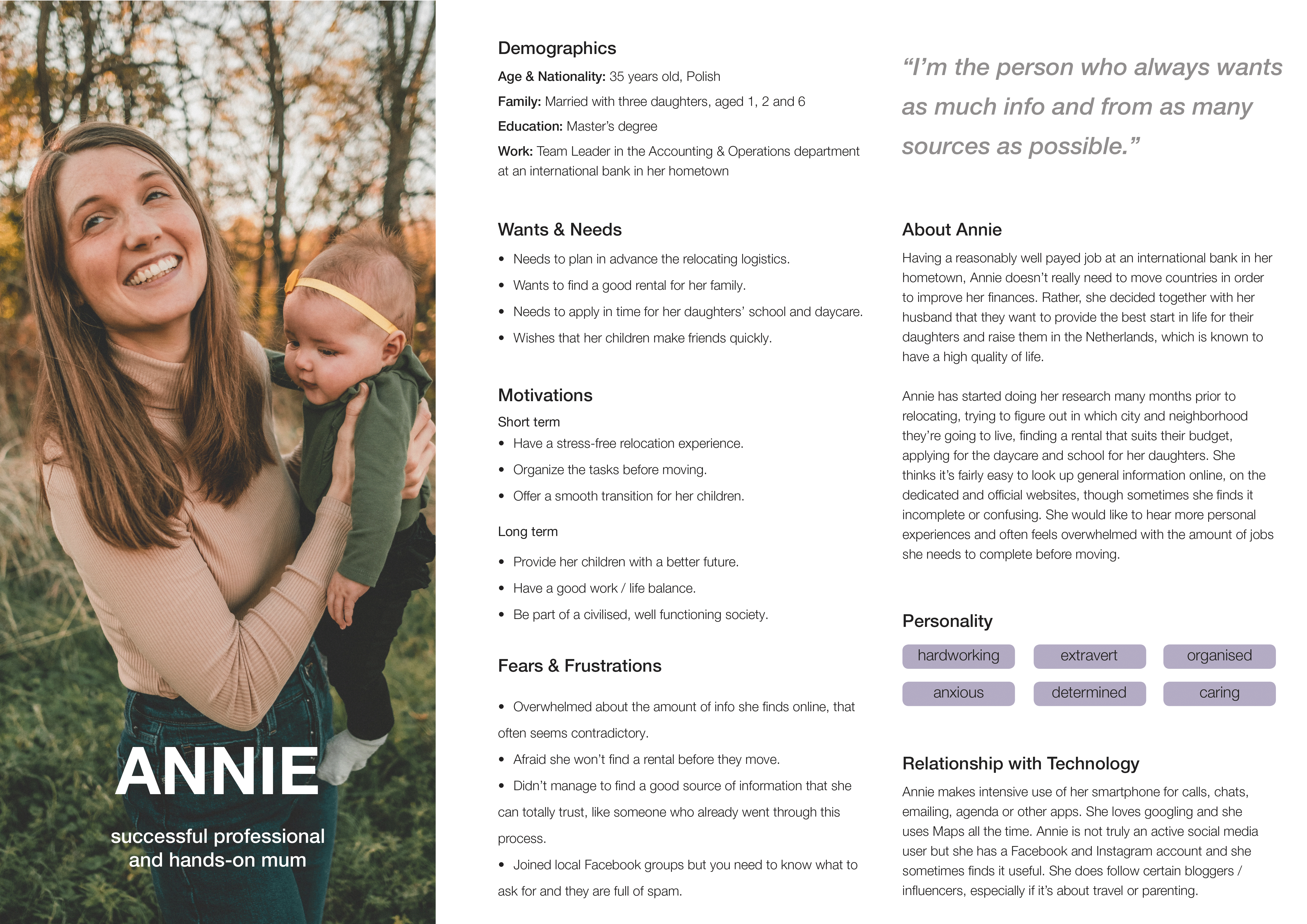
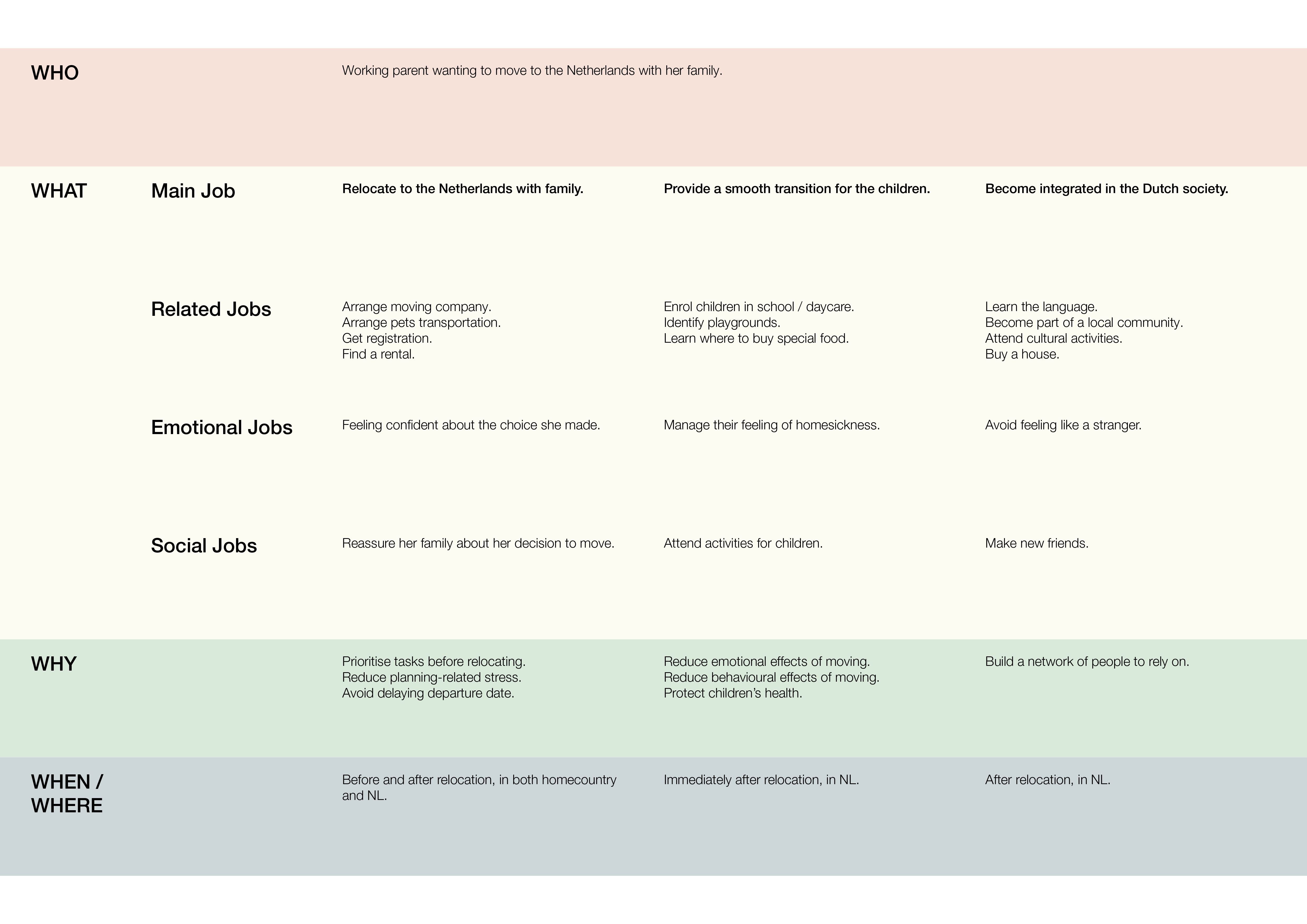
Next, I created an empathy map and a persona and experimented with the JTBD framework to synthesize the research and truly understand the users’ needs.
The interviewee can feel overwhelmed with the amount of information available online. She sometimes finds it conflicting.
Wants to know about everything that is child-related.
The interviewee feels more comfortable knowing everything is arranged in time before moving.
Wants to know how to prioritize things on her list.
The interviewee needs to listen to personal experiences.
Worries about integrating in the Dutch society.

Design
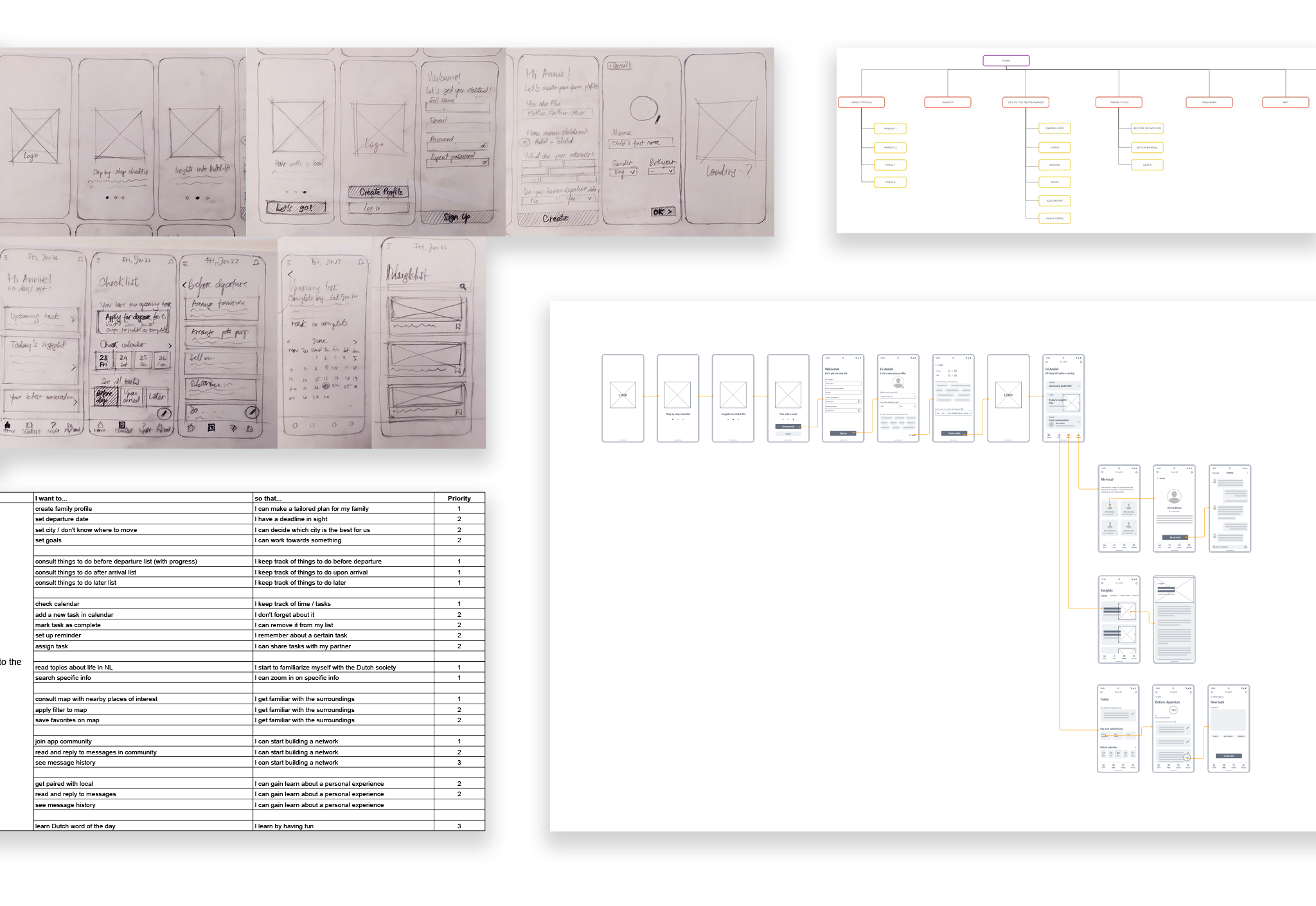
At the start of the design stage, I formulated user stories to help identify the key user flows needed for the MVP. I broke them down into three primary flows:
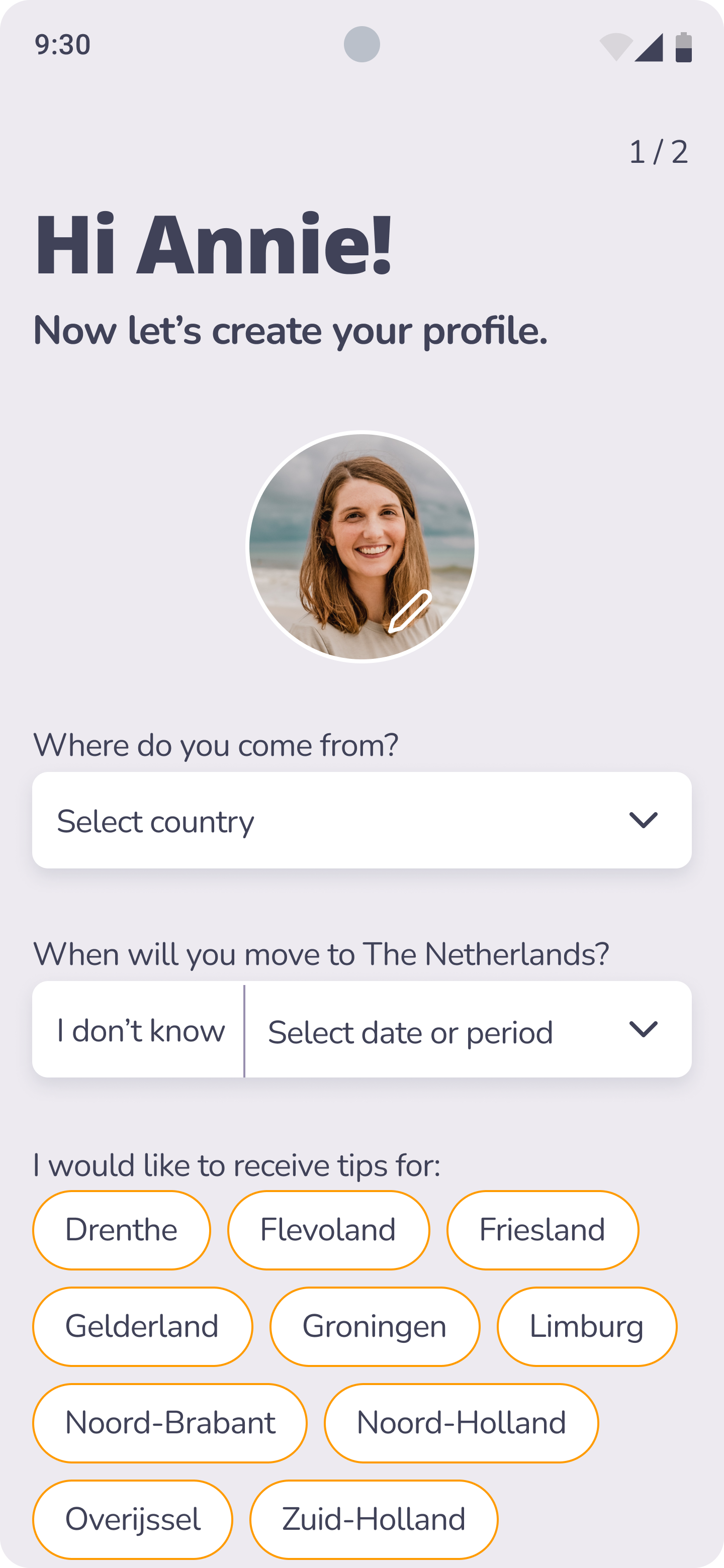
The features share the core idea of offering highly personalized content - based on the input provided during account creation. This solution is designed as an app to meet the persona’s need for convenience.







Prototyping
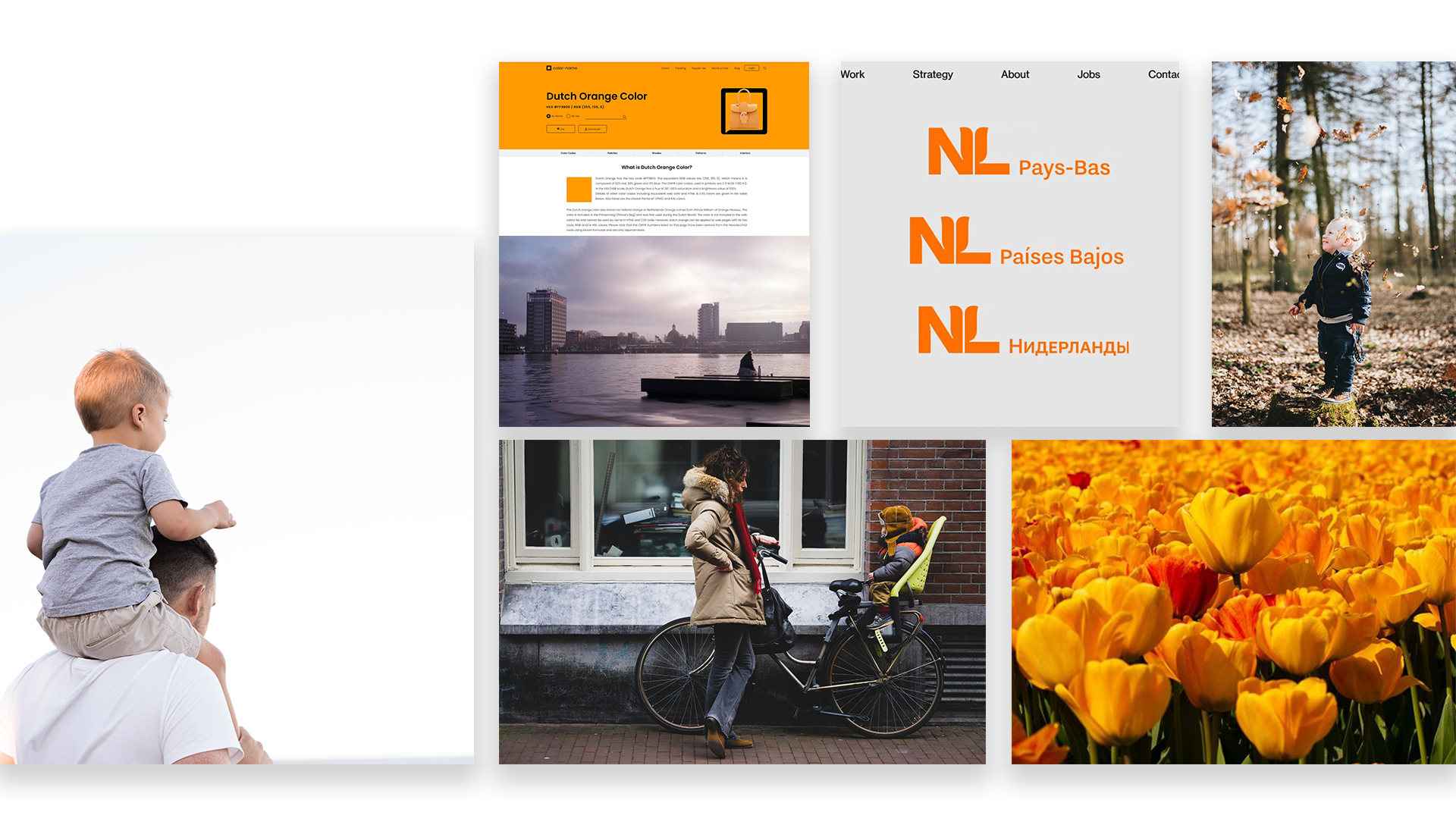
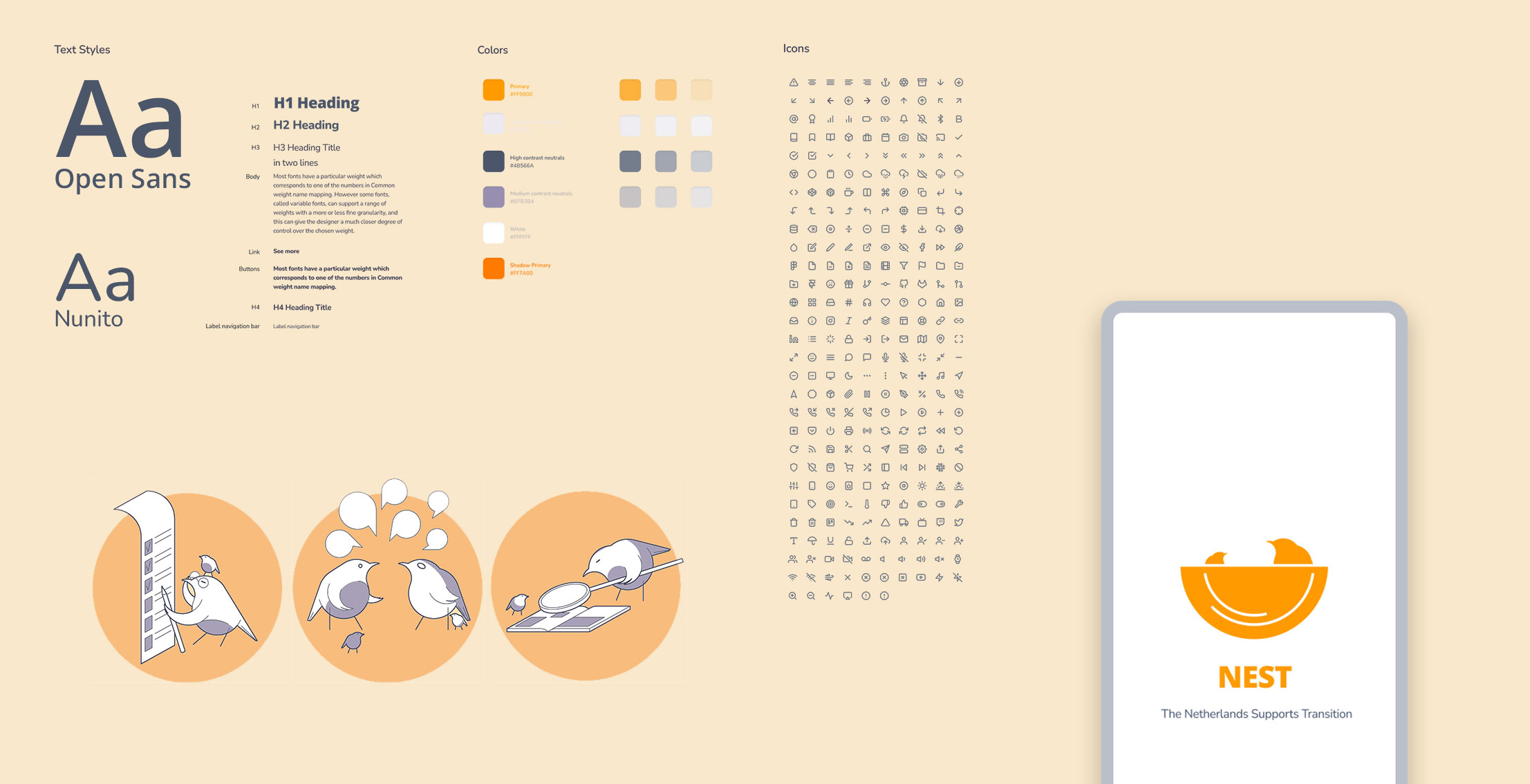
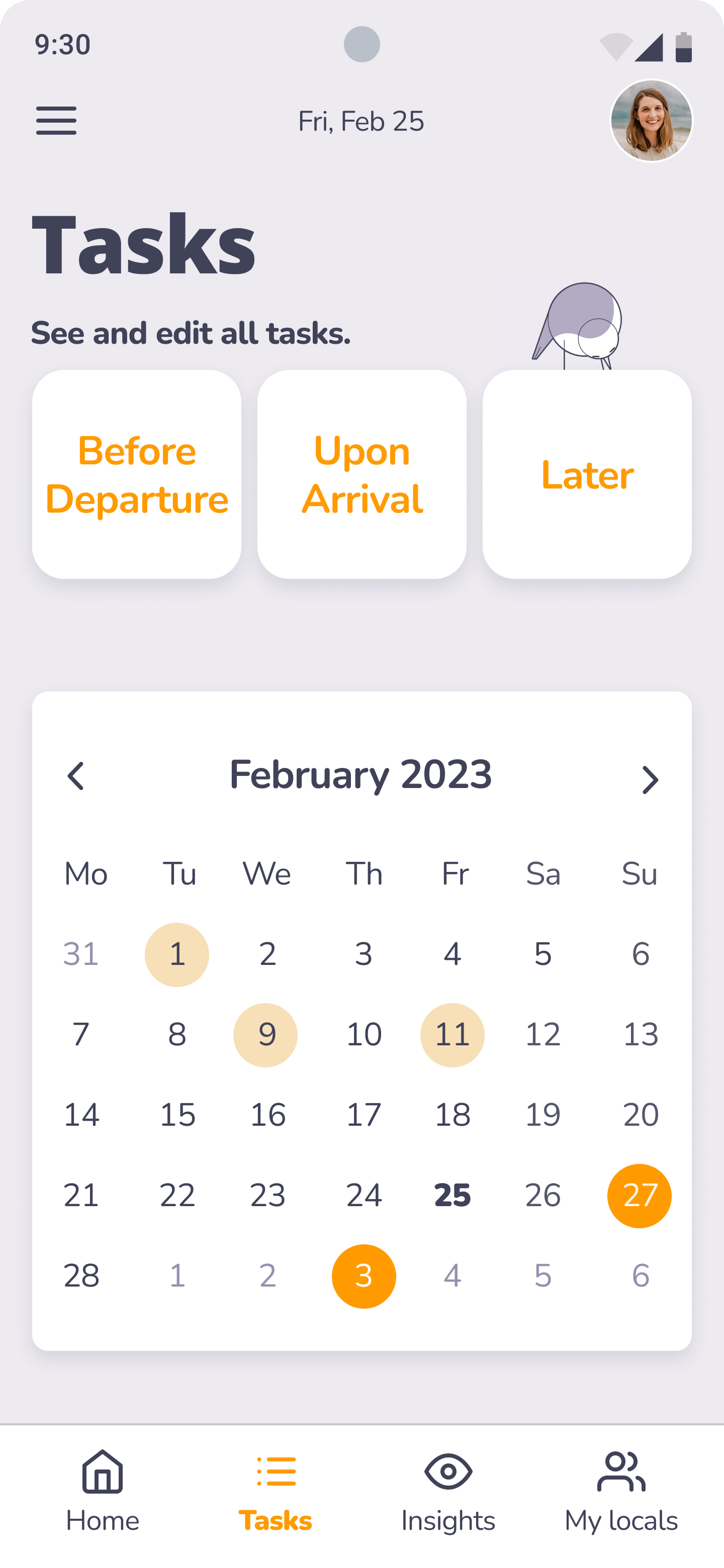
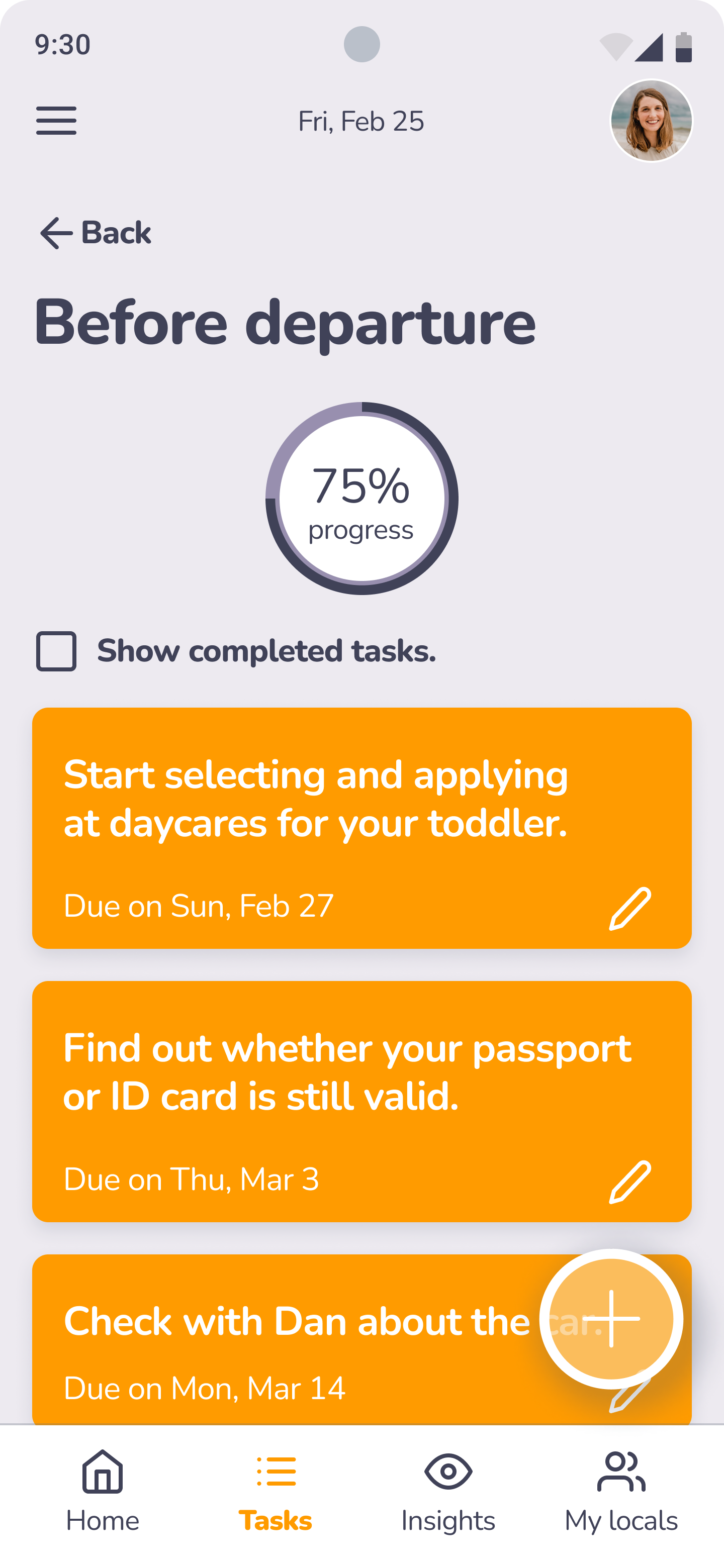
After creating the wireframes, I moved on to the style guide. I decided I would rely heavily on iconography and visual cues to communicate to the desired audience. The decision to go with orange as the main color was made for the sake of brand presence (orange=Dutch). I balanced it out with white cards and solid colored backgrounds for the inner pages, making sure colors and typography met accessibility standards.
I then created the hifi version of every screen. If you're curious, you can check out my entire Figma file.

TESTING AND ITERATIONS
At the high-fidelity prototype stage, I conducted two rounds of moderated and unmoderated usability testing, which resulted in a usability test report.
The app received positive feedback, as well as uncovered areas of future improvement. Some of the critical points were:
At the end
If time was not an issue, I would have explored features such as “create family group”, rewarding users for completing tasks, maps integration and develop a strategy for involving locals in the program.
Being my first UX / UI project, I quickly learned that intuition is good to have but you should never rely too much on your own assumptions. Rather, go out and test, iterate, then test, then iterate again.
If this product ever got to the development stage and shipped as a native app, I believe that all its functionality and features would need to be supported by a substantial amount of testing and research to make sure that it brings real value to its users.If you want to know more, you can check out the entire case study.